Simple Example
The easiest way to understand Backfield is by example. This page follows a short (fake) news article from raw text to structured, queryable data — the same path every story takes through the platform.
The story
Imagine your newsroom publishes this brief:
Riverside Bridge repairs approved after months of delay
SPRINGFIELD, Ill. — The Springfield City Council voted 6–1 on Tuesday to approve a $2.4 million contract with Harlan Construction Co. to repair the aging Riverside Bridge, closed to trucks since a February inspection found cracks in two support beams.
"We can't ask people on the east side to detour around the river for another winter," said Mayor Jane Doe, who pushed for the expedited timeline.
Councilmember Marcus Webb cast the lone dissenting vote, citing concerns about the no-bid process. Work is expected to begin near Riverside Park in March.
To a reader, this presents as a 100-word brief. To Backfield, it's a bundle of structured facts: two named officials (one quoted), a government body, a construction company, several places, and some metadata.
Step 1: Build and run a flow
We'll start by building an Agate flow to process the article. We'll paste our text into the input.
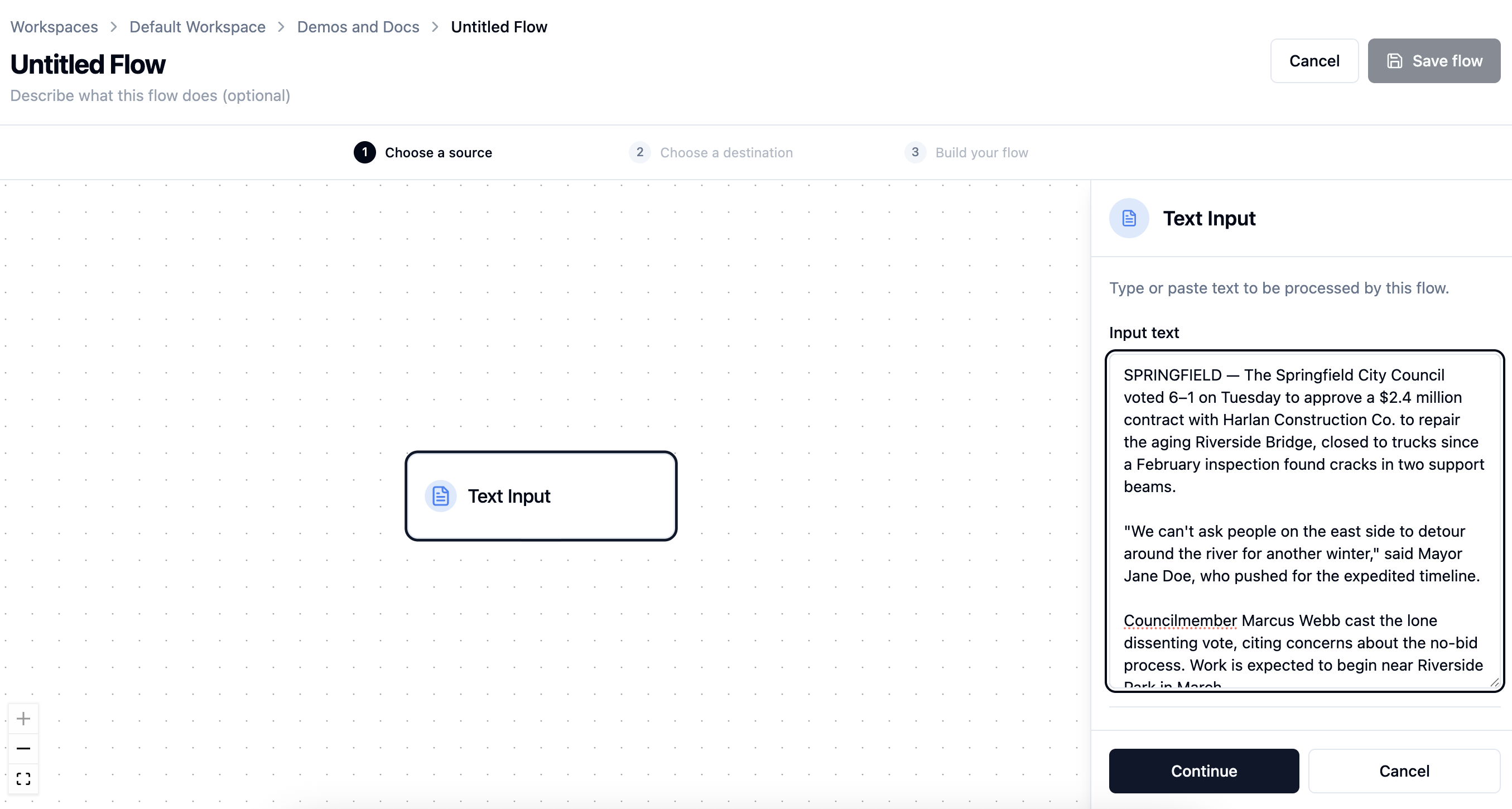
And then we will construct a pipeline of interconnected nodes — in this case, assigning some topical metadata; creating a semantic embedding of the article; extracting people, places and organizations; and geocoding the locations so they can be plotted on a map.
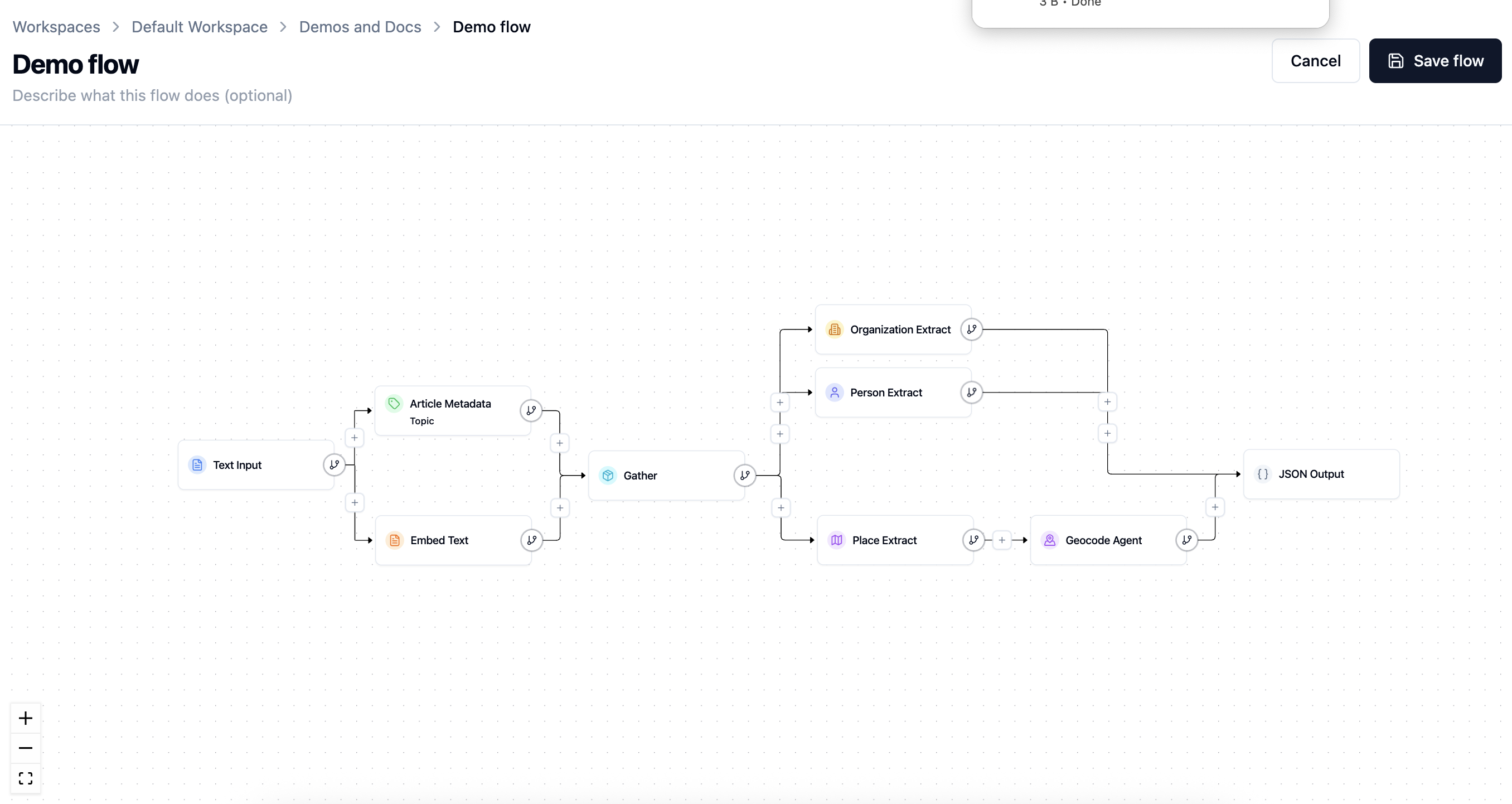
The screenshot ends with JSON Output, which is useful while inspecting and testing the structure. To save the article, evidence, and canonical links used in Steps 4 and 5, the reusable production flow must instead end with Backfield Output. Output choice is a real behavior difference, not just a display preference.
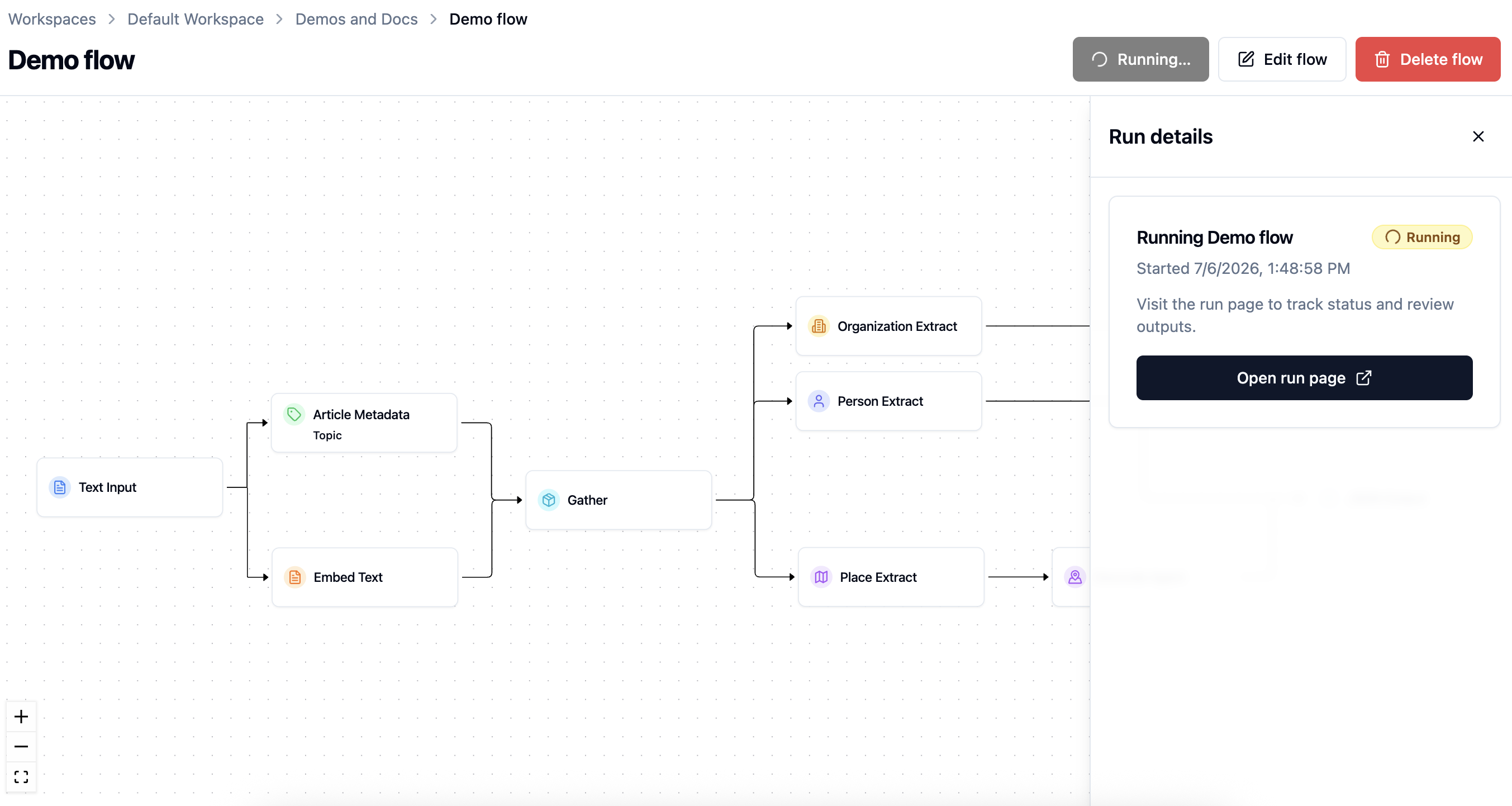
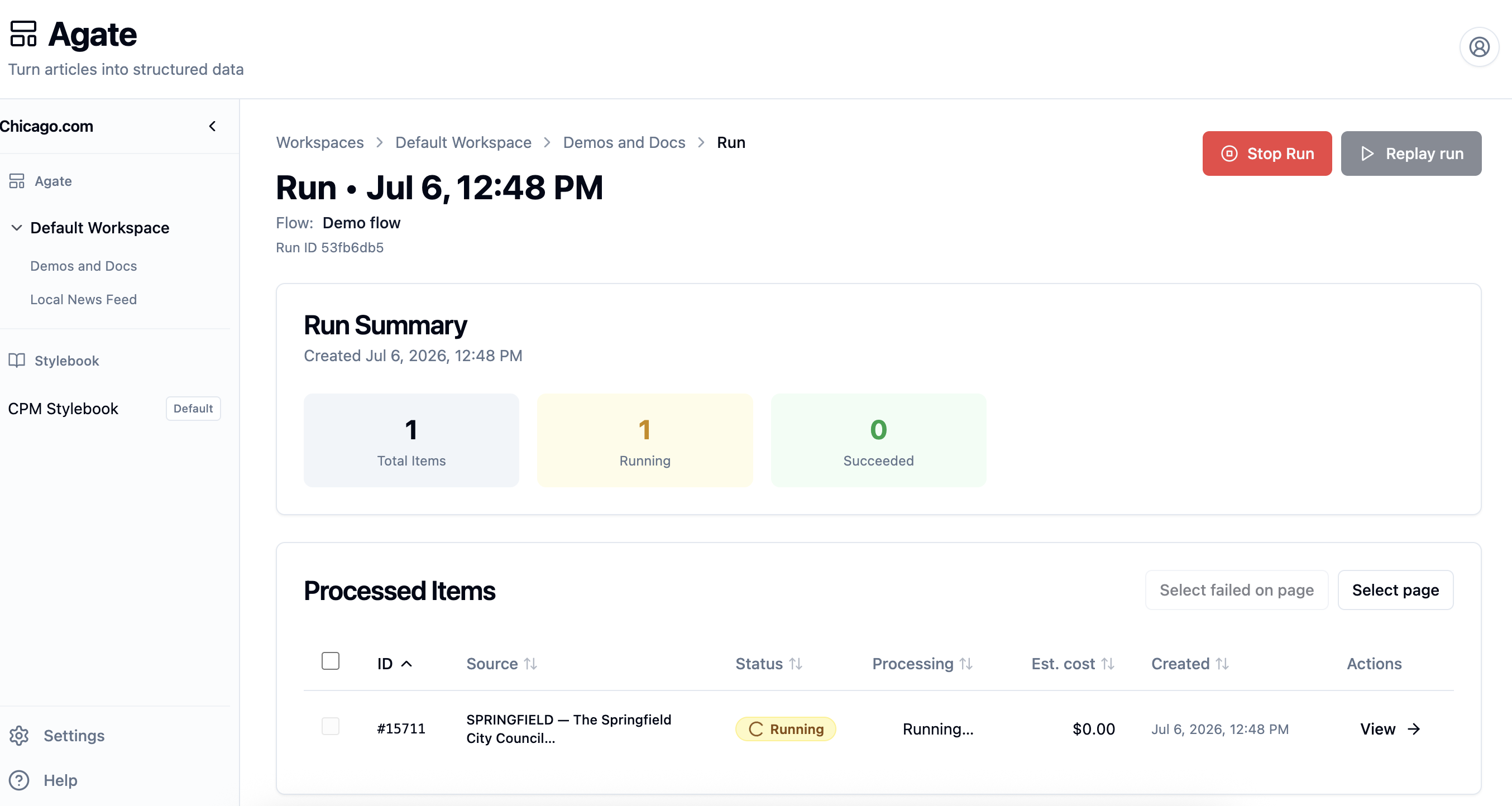
Executing the flow creates Run, which processes the article in a matter of seconds.
The run details drawer confirms that the flow has started, and the run page shows each processed item's status with a link to review the story.
Step 2: Review the output
Once the run finishes, the story becomes a processed item — a review page with one tab for each type of data extracted by the flow.
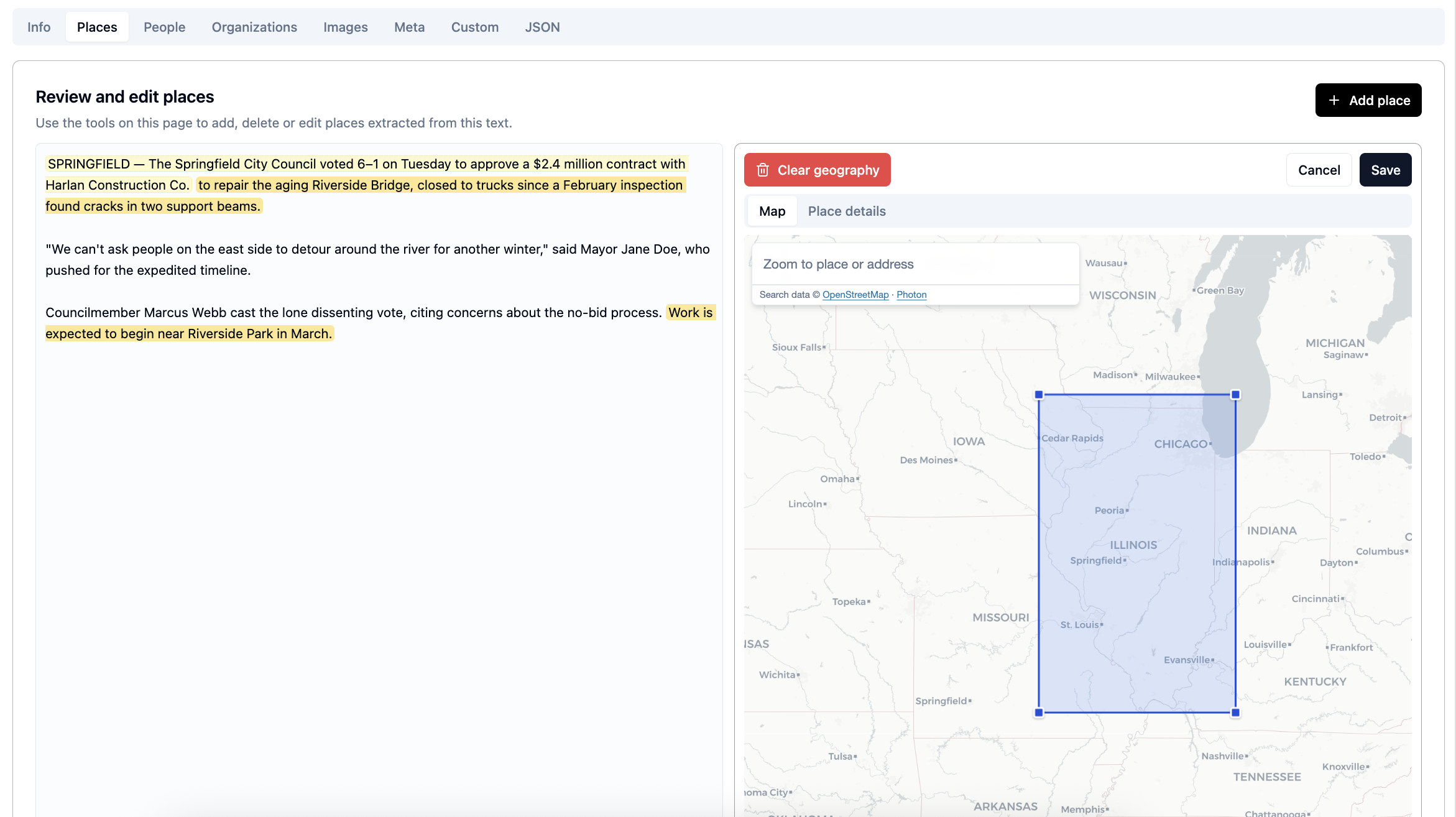
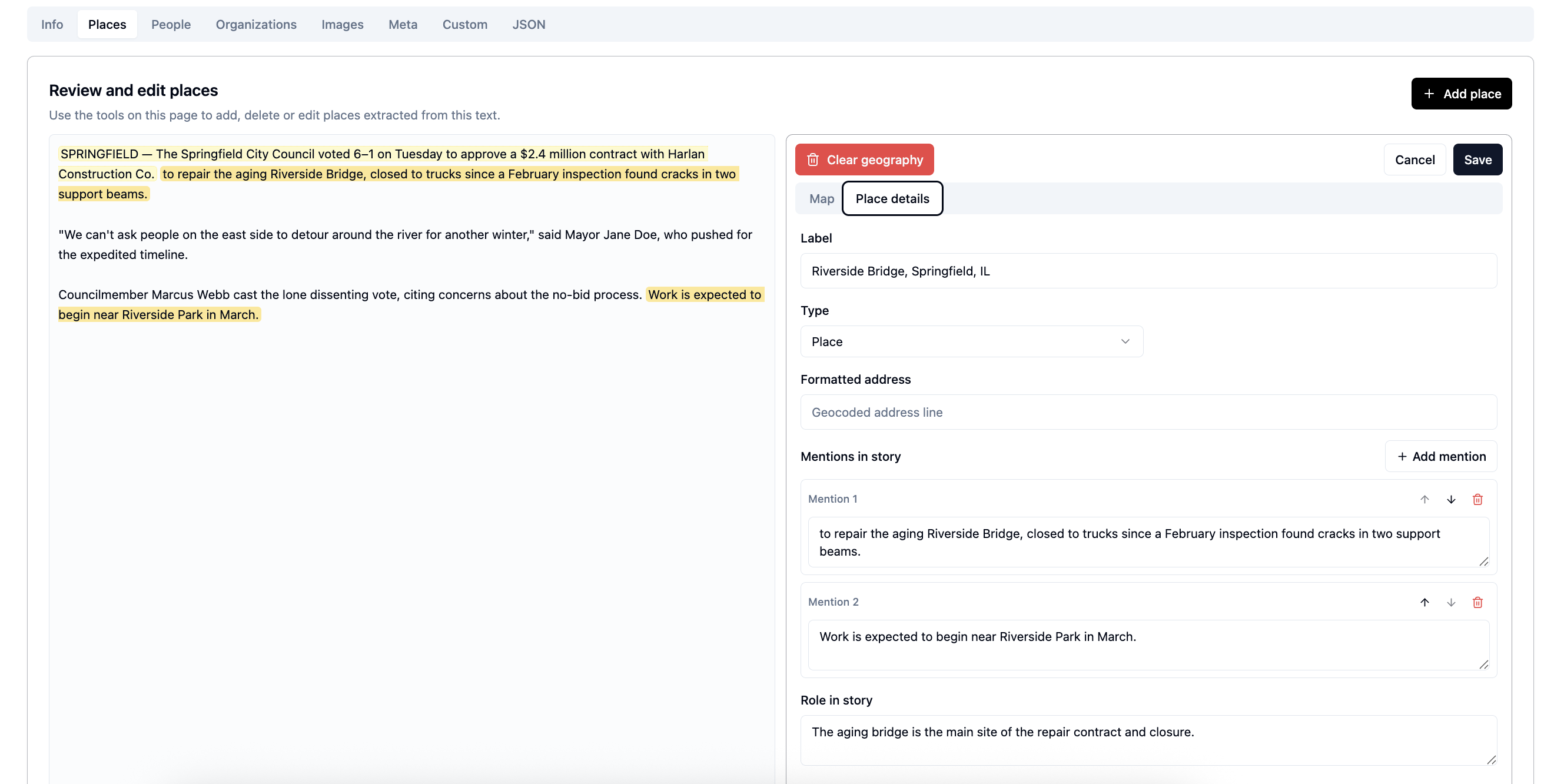
Editors can review and change the article-specific people, places, organizations, and metadata extracted from the story. These corrections affect this story's evidence; canonical Stylebook records are maintained separately.
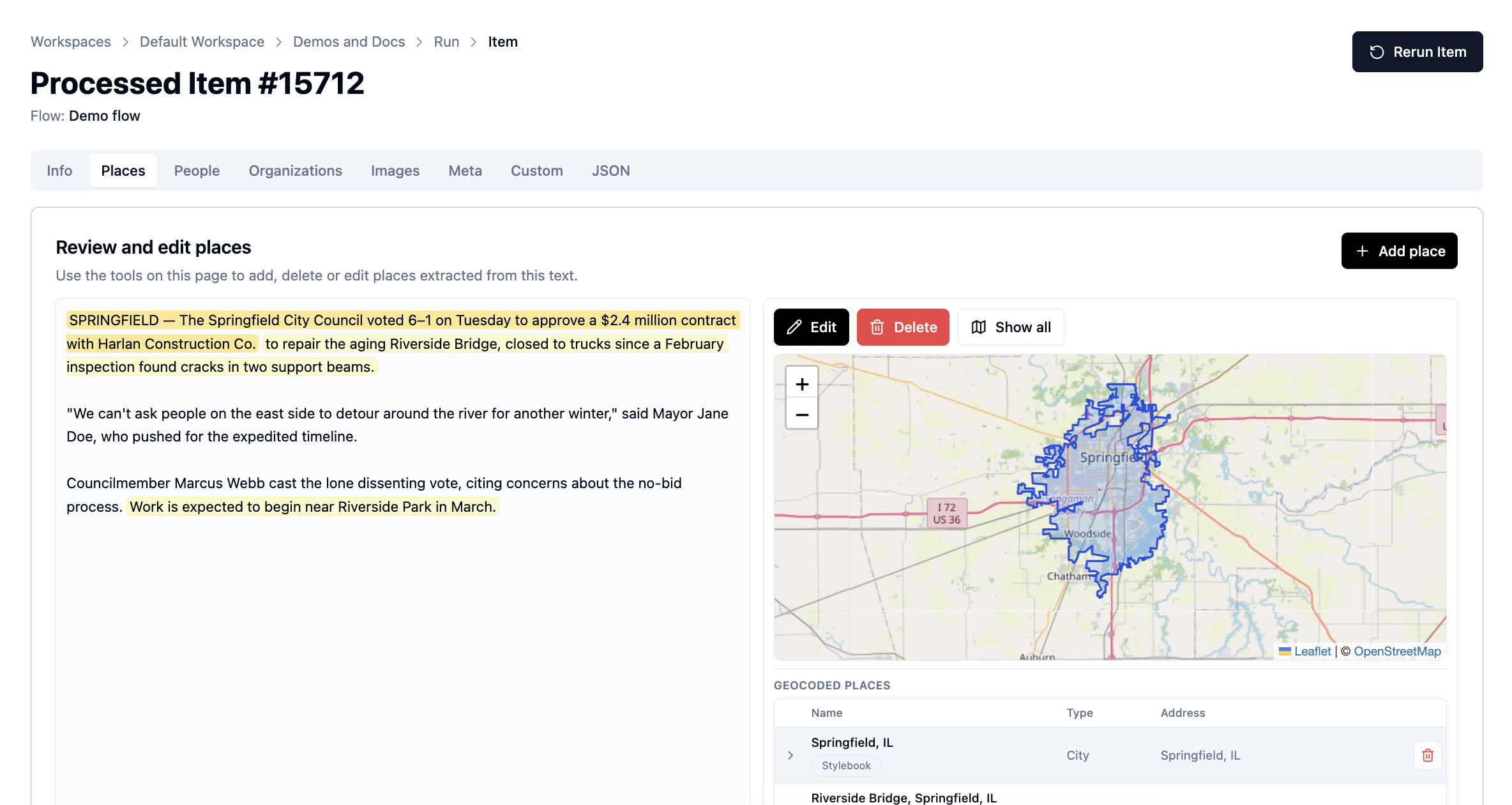
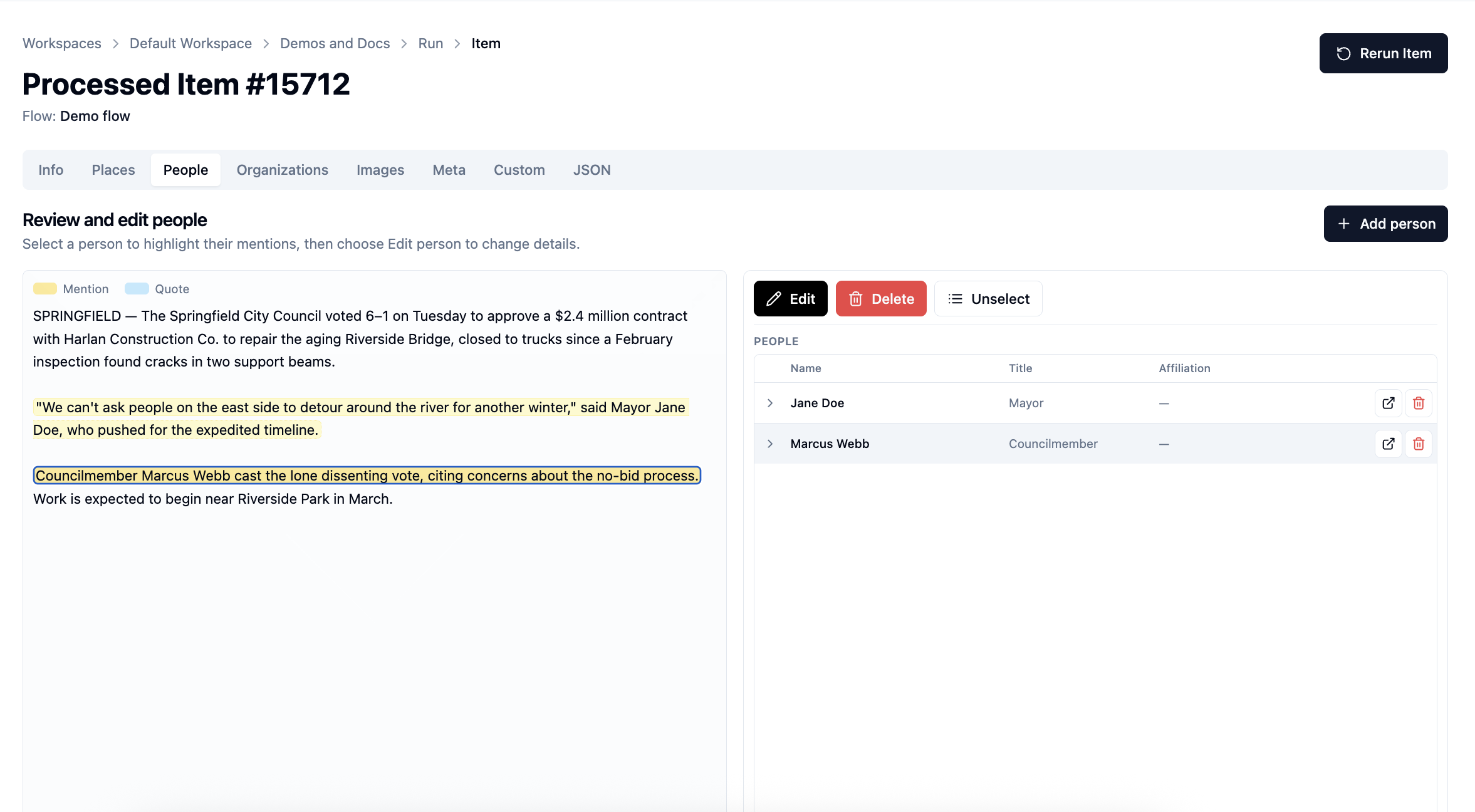
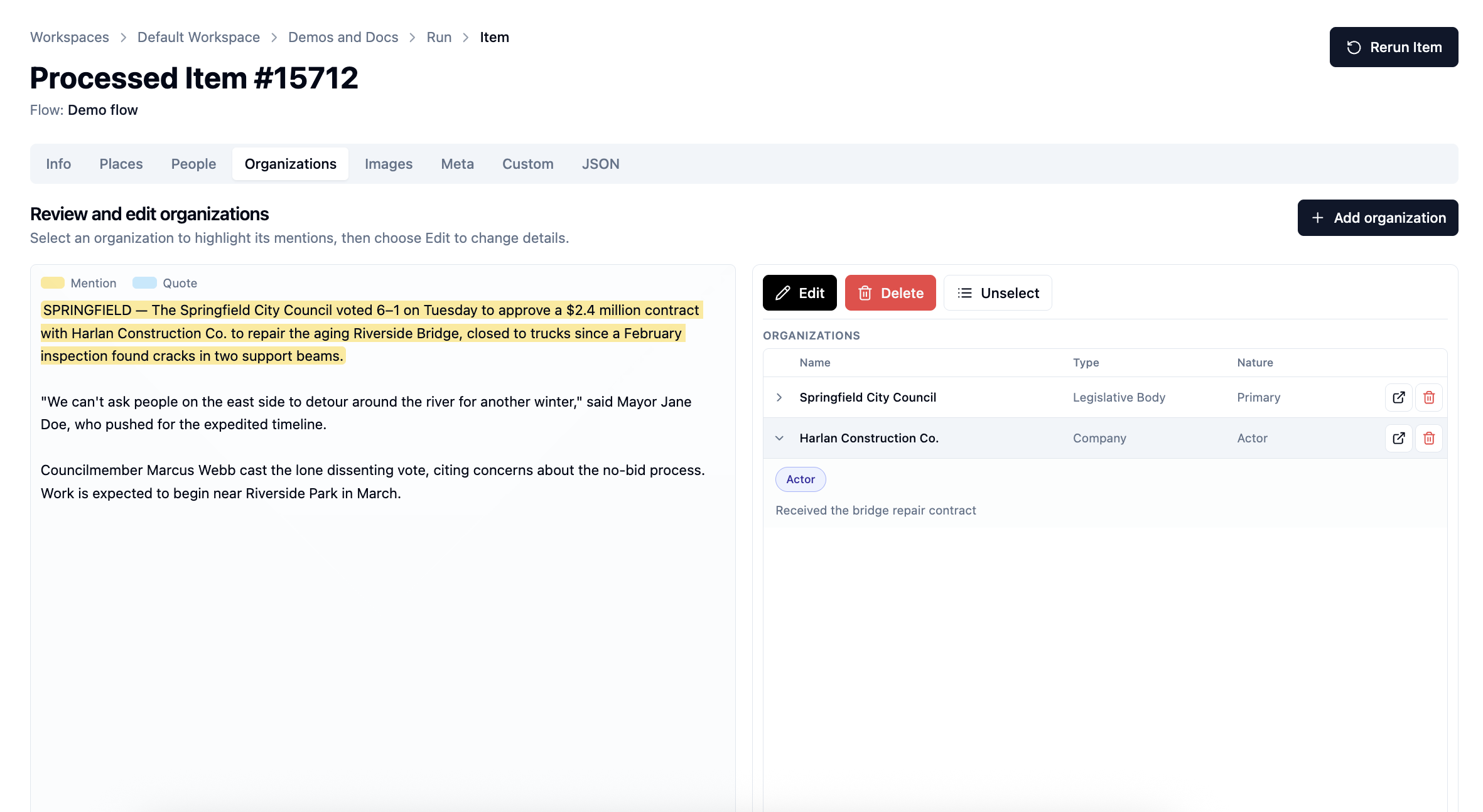
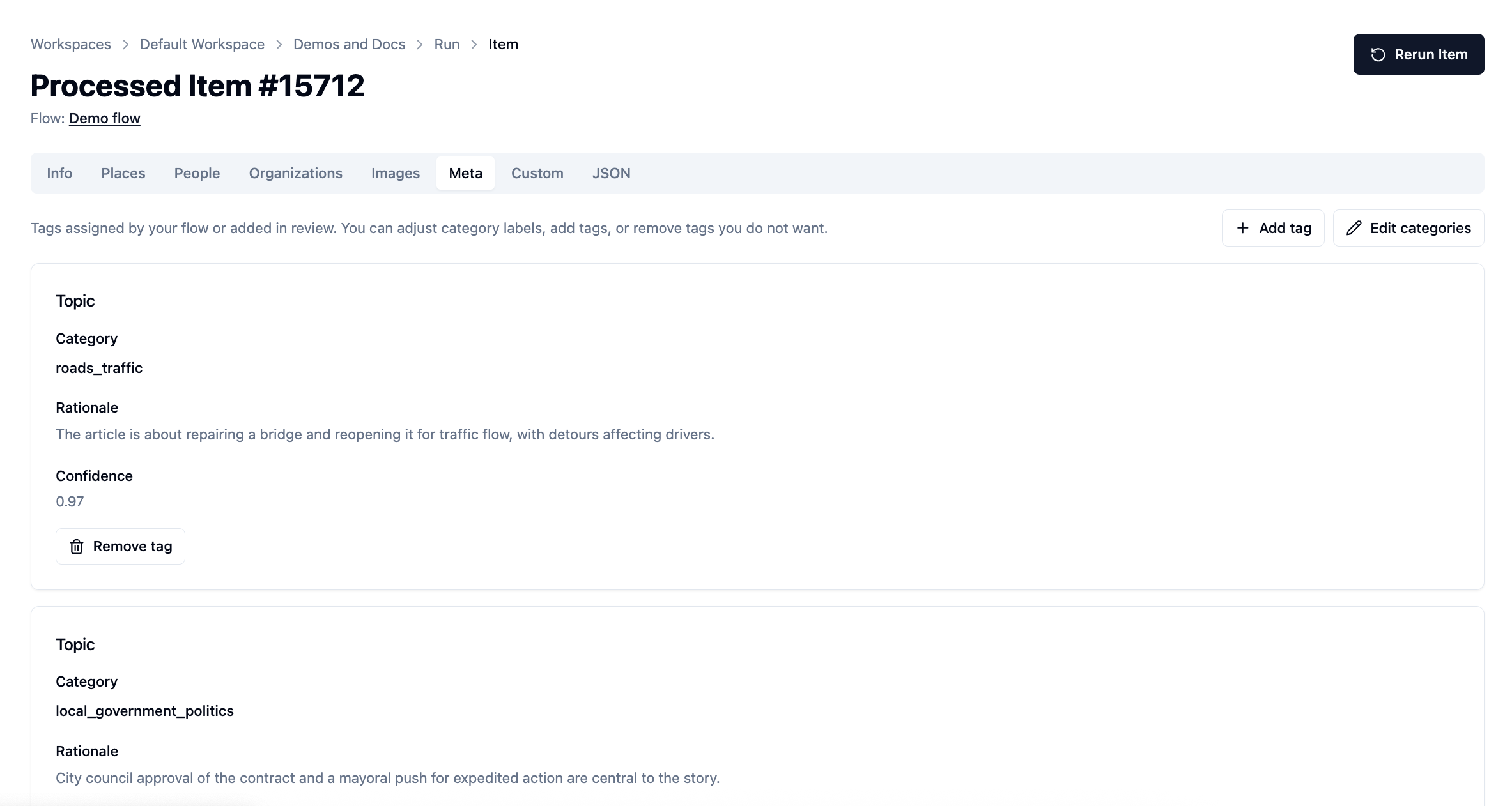
Extracted people, organizations, and places are tied to evidence — the passages that refer to them. Select one and the supporting source material is highlighted in the review interface. Other outputs, such as embeddings and generated classification rationales, are not textual mentions.
Step 3: Correct any mistakes
Models make mistakes, so Agate is built for verification. When reviewing a processed item, an editor can:
- Fix incorrect metadata
- Remove a spurious extraction
- Add something the model missed, anchored to a passage in the story
- Adjust map coordinates for a place
Corrections are saved as a review layer on top of the original model output, so you can compare the original and reviewed versions. Rerunning the item regenerates that run-local result and clears its review overlay, so review the rerun warning before proceeding. See Processed items.
Step 4: Curate Stylebook records
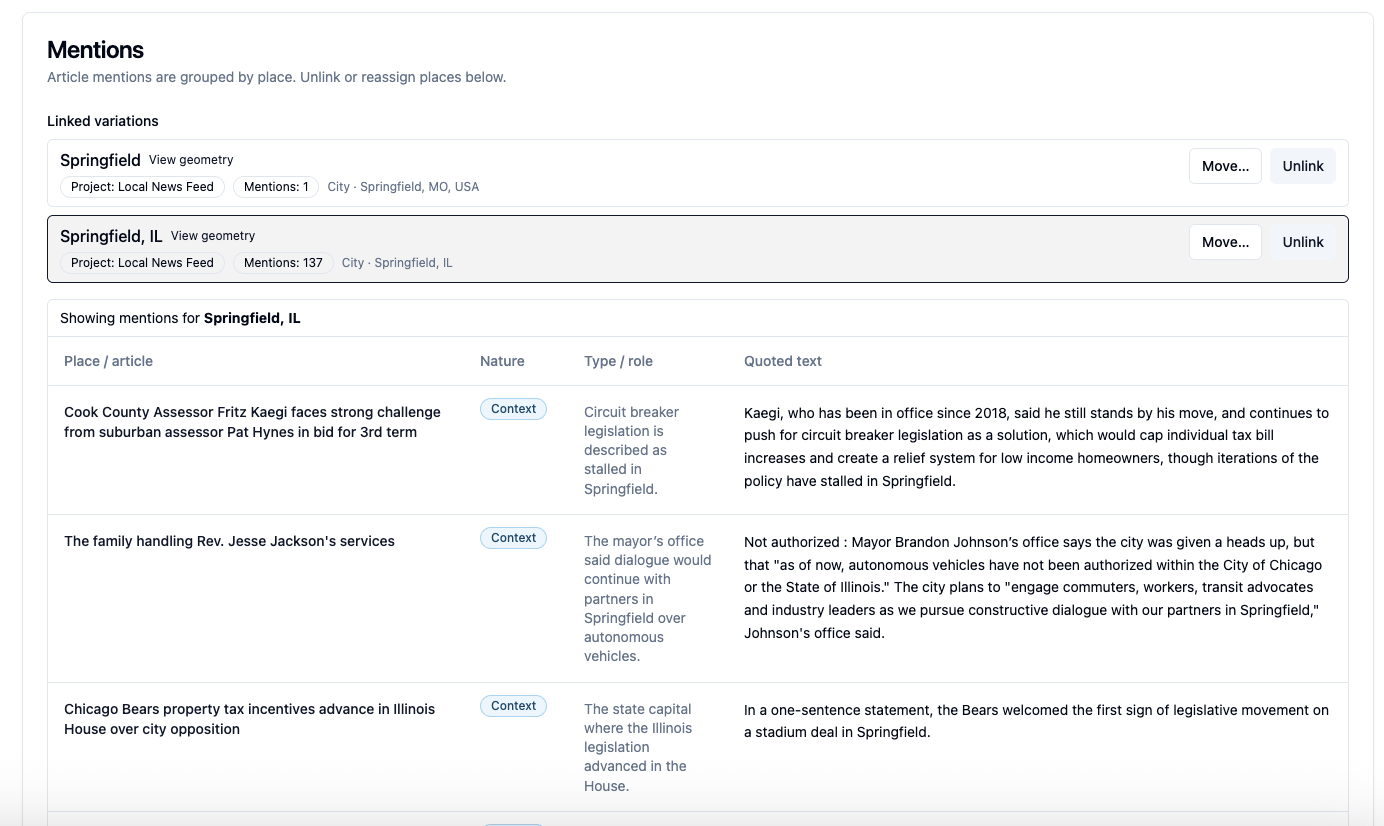
Suppose your newsroom has written 50 stories about Mayor Jane Doe. Each story has its own article evidence, potentially with several textual mentions, while all of them can link to a single canonical person.
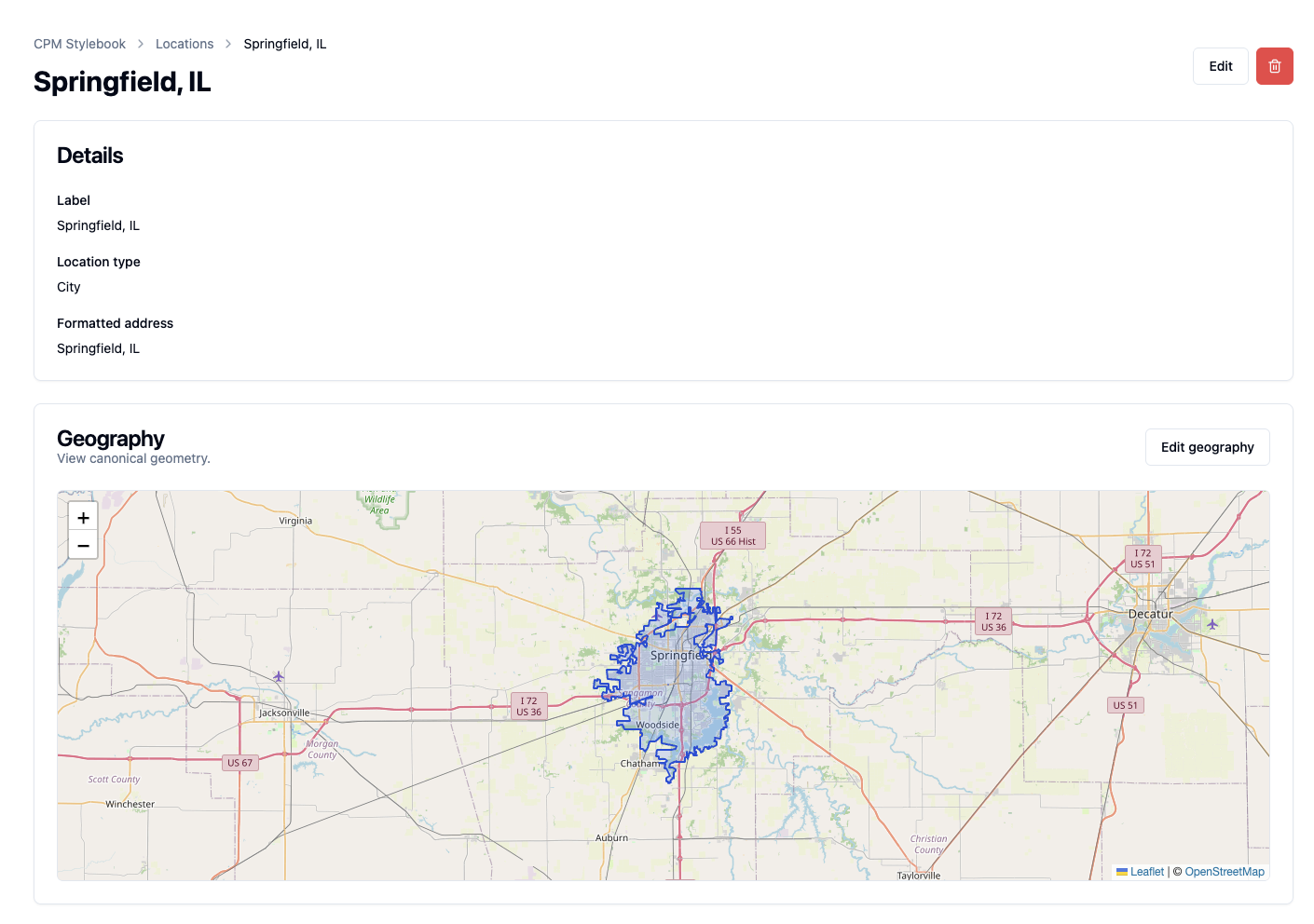
When Backfield Output saves the results, Stylebook matches each extracted person, place, and organization against the project's assigned Stylebook. This story's "Mayor Jane Doe" can link to the same canonical Jane Doe as previous stories through a process called canonicalization.
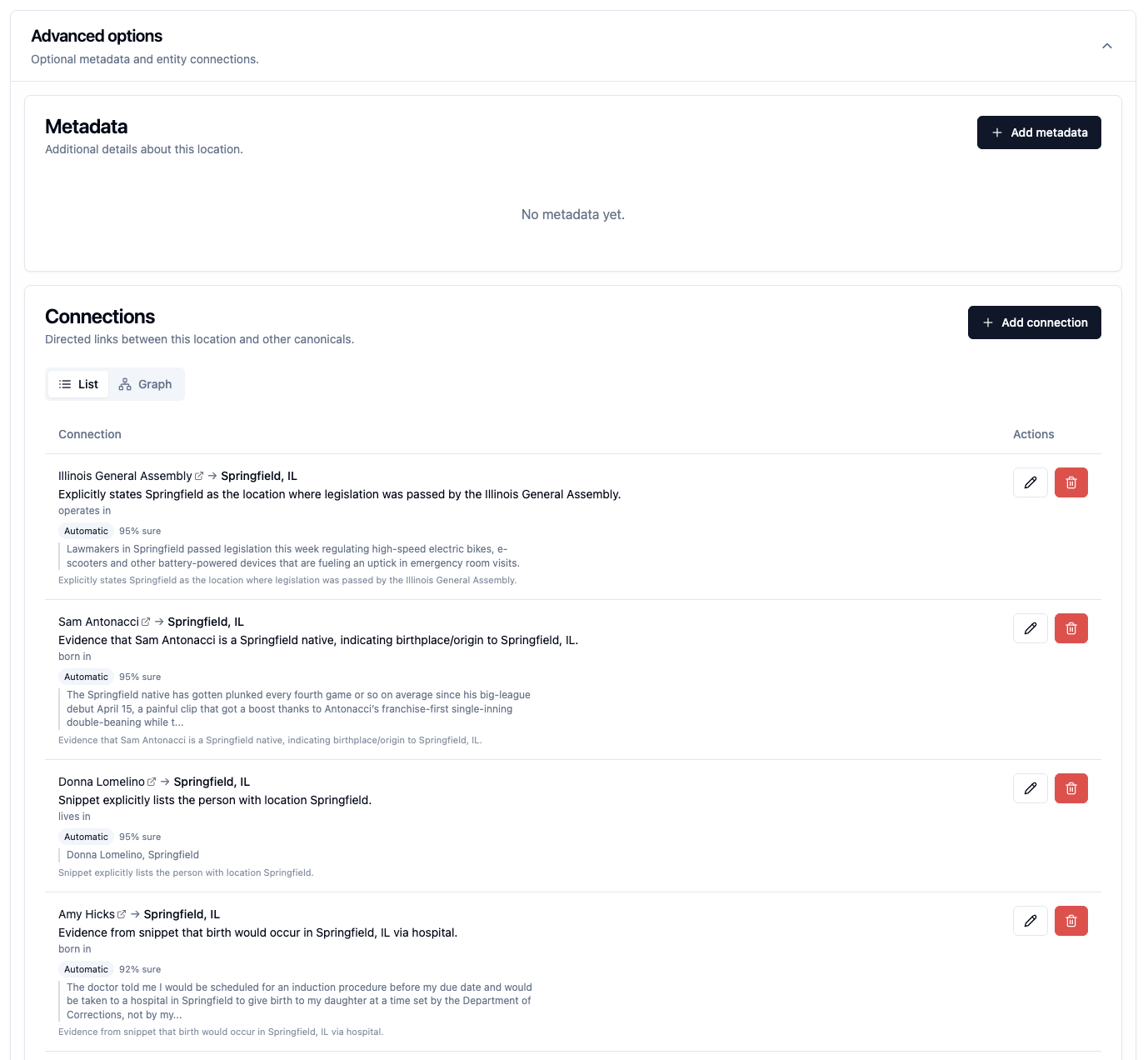
The canonical record brings together trusted names and aliases, mentions with their evidence, connections to other entities (Jane Doe works at City Hall), geography where relevant, and metadata your editors maintain. See Data model for how article evidence and canonical entities fit together.
Step 5: Use the data through Backfield API
After Backfield Output saves the article, your own products can use the Backfield API to ask questions such as:
- Which stories mention Jane Doe?
- Which people were quoted in local-government coverage?
- Which articles mention locations near the bridge?
- What metadata, mentions, images, and connections belong to this article or canonical record?
The API uses a project key, so results remain within that project's access and evidence scope. The API Reference documents the request format when you are ready to build an integration.
Where to go next
- Get oriented in Getting Started
- Understand reusable processing in Agate → Flows
- Understand the catalog in Stylebook
- Use your data through Backfield API