Extract people and places
Run Tutorial Flow, then inspect the people, places, evidence, and Stylebook matches it produces.
Before you begin
Complete Build your first flow. Tutorial Flow should contain:
- Text Input with the prepared Duluth cooling-program article;
- Place Extract followed by Geocode Agent;
- Person Extract on a separate path;
- Backfield Output with Stylebook matching on.
GPT-5.6 Luna and the geocoding integrations must be configured for Tutorial Project.
1. Review the extraction prompts
Open Tutorial Flow for editing and select Person Extract. On the Prompt tab, make the editorial rules explicit:
- include named participants, officials, and quoted sources;
- exclude article bylines and unnamed role labels;
- merge repeated references to the same person;
- require each mention to be an array entry containing the exact text and whether it is a direct quote.
The mention rule matters because Backfield uses those exact passages as reviewable evidence.
Open Place Extract → Prompt and specify that the node should:
- include relevant cities, counties, neighborhoods, lakes, and named buildings;
- exclude people, organizations, programs, job titles, and generic facilities;
- normalize places using the city, state, and country context in the article;
- retain the exact passage supporting each place.
Save each node, then choose Save flow.
2. Open the verified run
Open Tutorial Project → Runs, then select the most recent successful
Tutorial Flow run for Duluth officials announce summer cooling program.
Confirm that both the run and its one processed item show Succeeded.
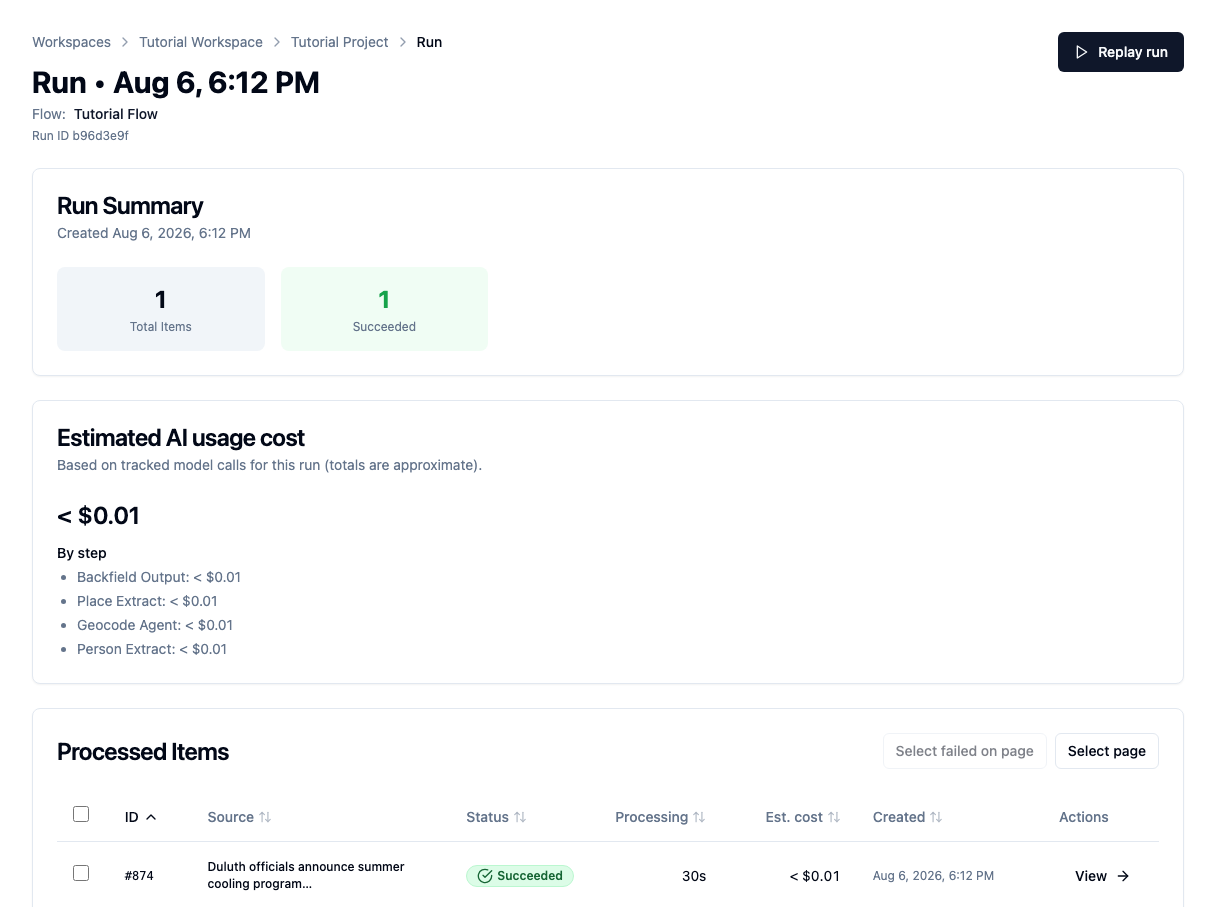
This verified run processed one item in 30 seconds. Its estimated AI usage cost was less than one cent. Times and costs vary by model and provider.
Choose View on the processed item.
3. Review the places
Open the Places tab.
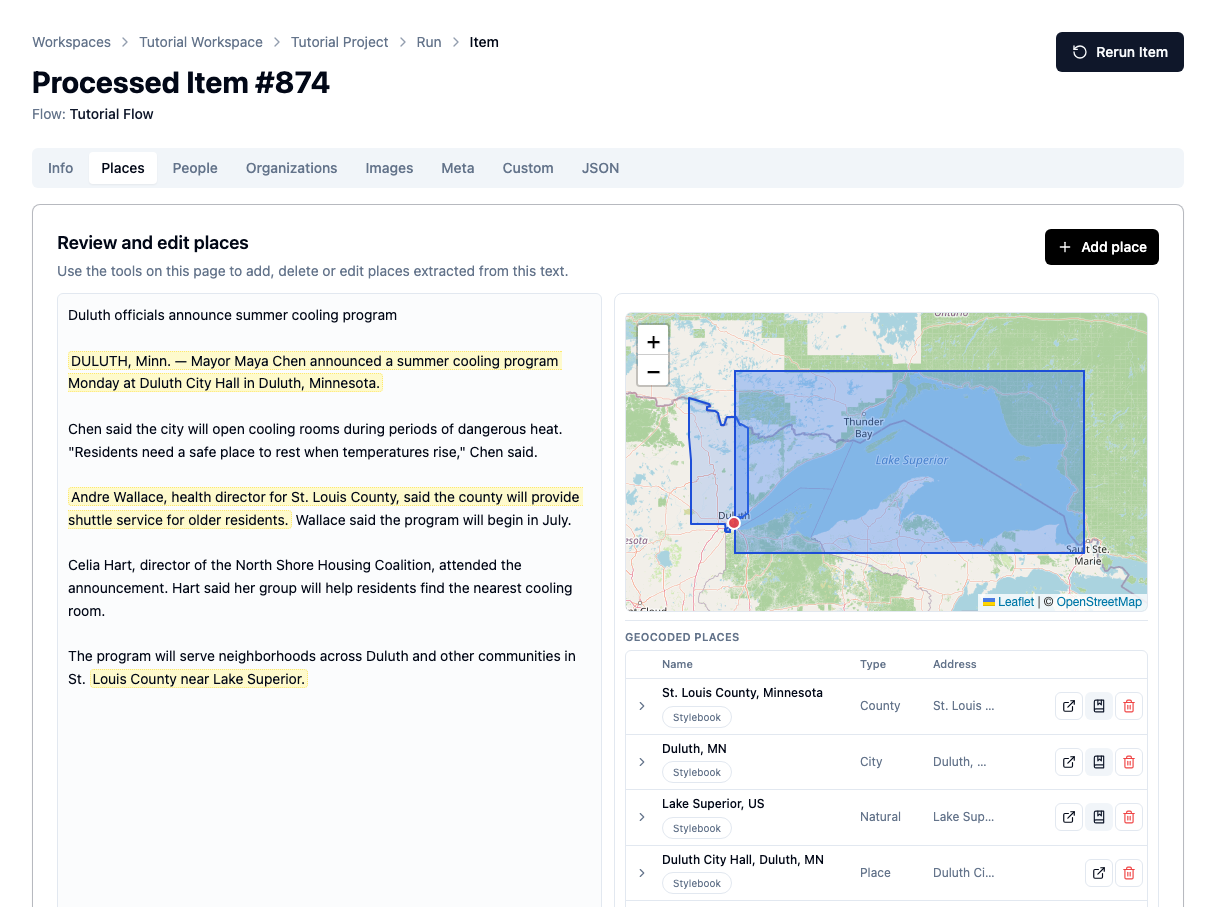
The verified run produced four place results:
- St. Louis County, Minnesota;
- Duluth, Minnesota;
- Lake Superior;
- Duluth City Hall.
The left side highlights the passages that support the results. The right side shows the map and structured records.
The Stylebook badge means a result is connected to a canonical record in Tutorial Stylebook. It does not mean every field is unquestionably correct. Review the name, type, address, boundary, and map location.
4. Review the people
Open the People tab.
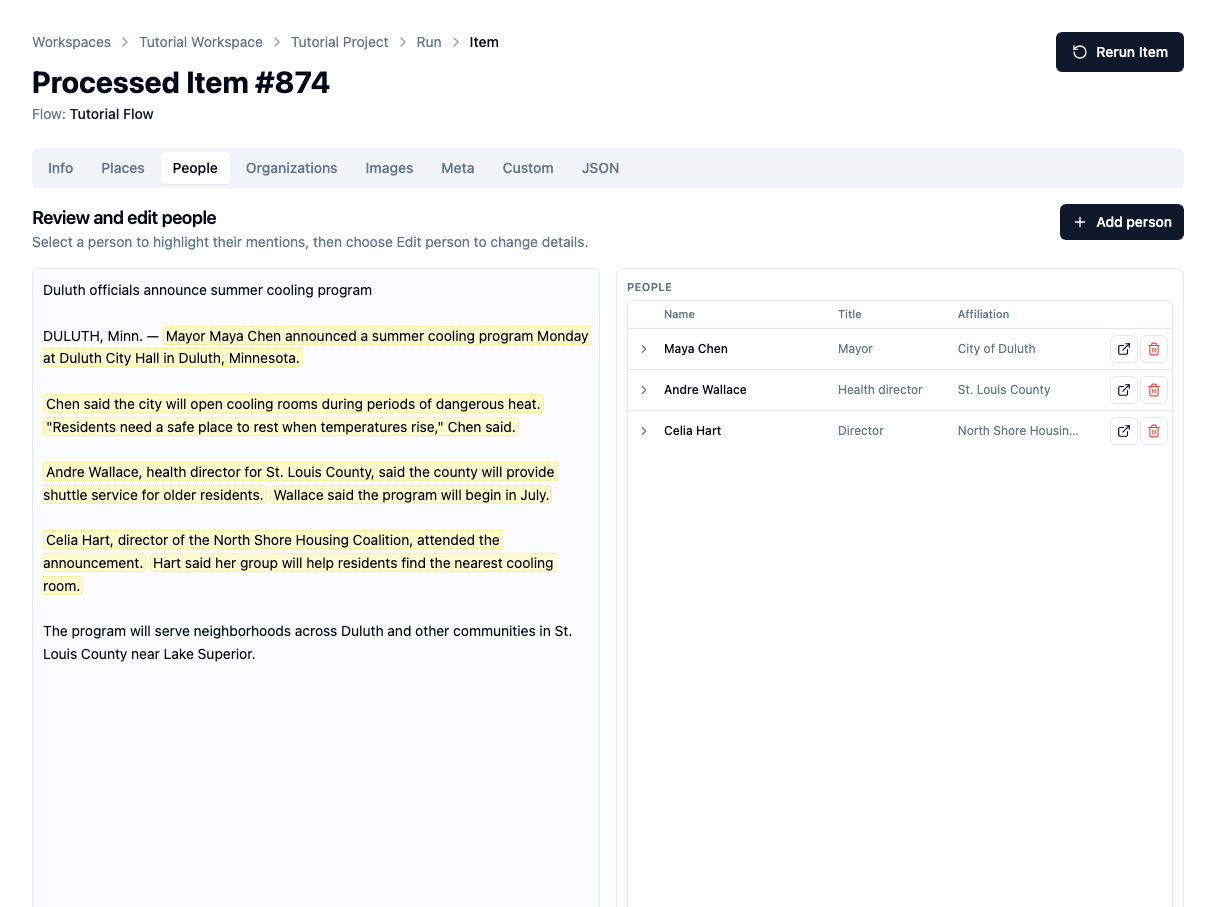
The run found:
- Maya Chen, mayor, affiliated with the City of Duluth;
- Andre Wallace, health director, affiliated with St. Louis County;
- Celia Hart, director, affiliated with the North Shore Housing Coalition.
Select a person to focus their mentions in the article. Check that the model:
- chose the correct name;
- kept the role separate from the name;
- assigned the right affiliation;
- attached the correct passages and quotations.
These are article-level entities and mentions. Backfield Output may match them to existing canonical people or send uncertain matches to Stylebook review.
5. Understand what the results prove
A successful run means the flow completed and returned valid structured data. It does not mean every result is editorially correct.
Before accepting a processed item, check for:
- a real person or place that was missed;
- an organization mistakenly treated as a place;
- a broad region that should be more specific;
- an incorrect map result;
- a role, affiliation, mention, or quotation attached to the wrong person.
The retained evidence lets an editor make those decisions without trusting the model blindly.
Troubleshooting
- No people appear: confirm that the article names people, the Person Extract model is configured, and the prompt includes named officials and sources.
- No places appear: confirm that Place Extract receives Text Input and feeds Geocode Agent on the same path.
- A run fails on mentions: require
mentionsto be an array of exact-text entries in the Person Extract prompt. - A place has no geography: review it manually; some broad or invented locations should not be forced onto a map.
Next step
Continue with Correct processed items to edit extraction results and save reviewed changes.