Correct processed items
Compare a flow's output with the source story and correct an article-specific mistake. This tutorial removes a duplicate place from the Duluth cooling-program story.
You'll learn
- How to verify a result against highlighted source text.
- How to remove an unsupported or duplicate extraction.
- Which corrections belong on the processed item and which belong in Stylebook.
Before you begin
Complete Extract people and places. Open the successful
Tutorial Flow run for Duluth officials announce summer cooling program, then
select View on its processed item.
1. Review the item
Start with Info. Confirm that the item succeeded and that the headline preview identifies the expected story.
Then open Places. The story appears beside the map and place table. Highlighted passages show the evidence that produced the place results.
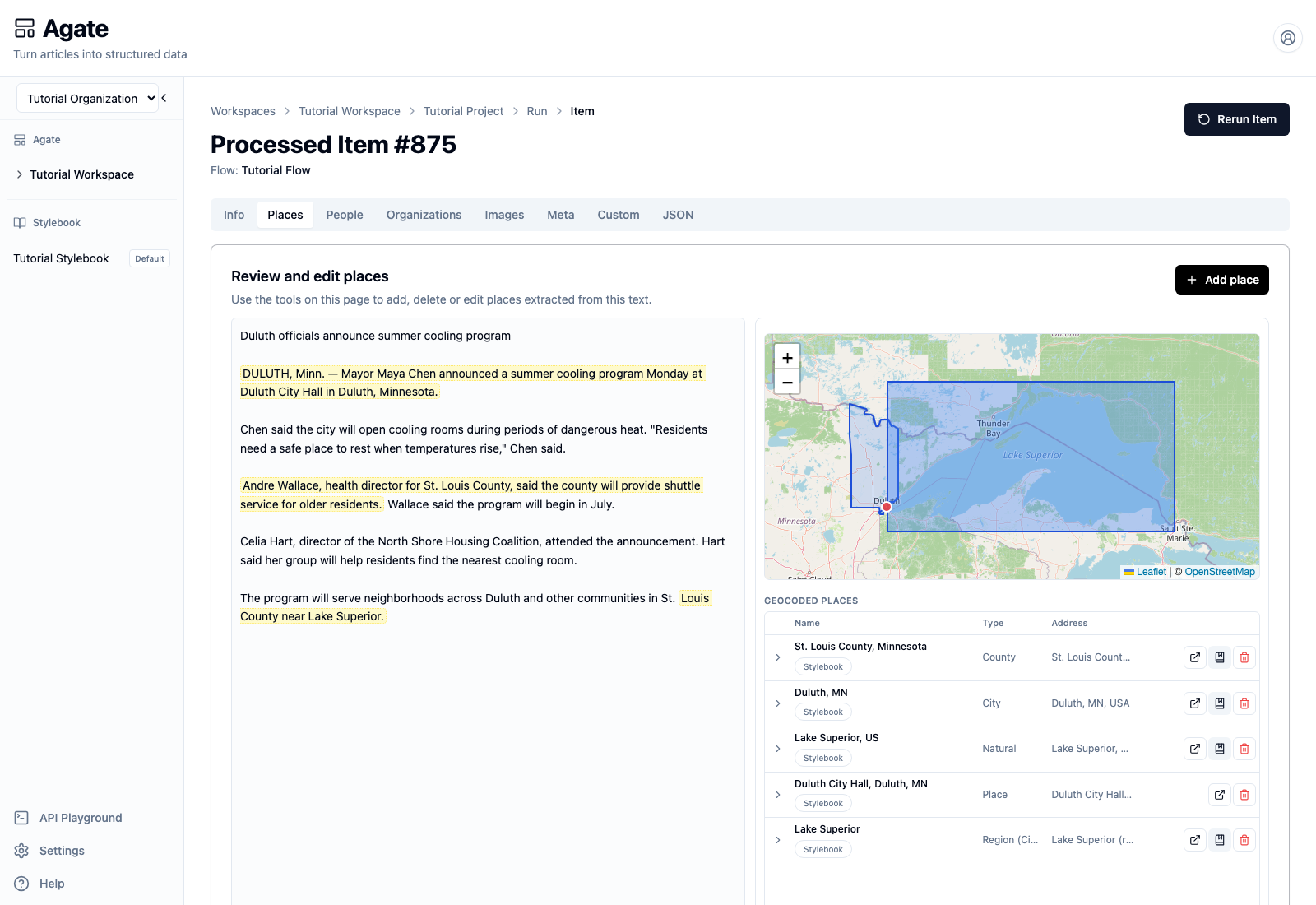
The verified run contains five rows, but the article supports only four distinct places. Lake Superior appears twice:
Lake Superior, USis correctly identified as a natural feature.Lake Superioris also listed asRegion (City), which is an incorrect duplicate.
Do not judge a result from its confidence or map alone. Compare its name, type, address, geometry, and highlighted source passage.
2. Remove the duplicate
In the Lake Superior row with type Region (City), select the red
Remove from story button.
Agate explains the scope before making the change: mentions for this article will be removed, and a saved place used by no other stories may be unlinked from the catalog.
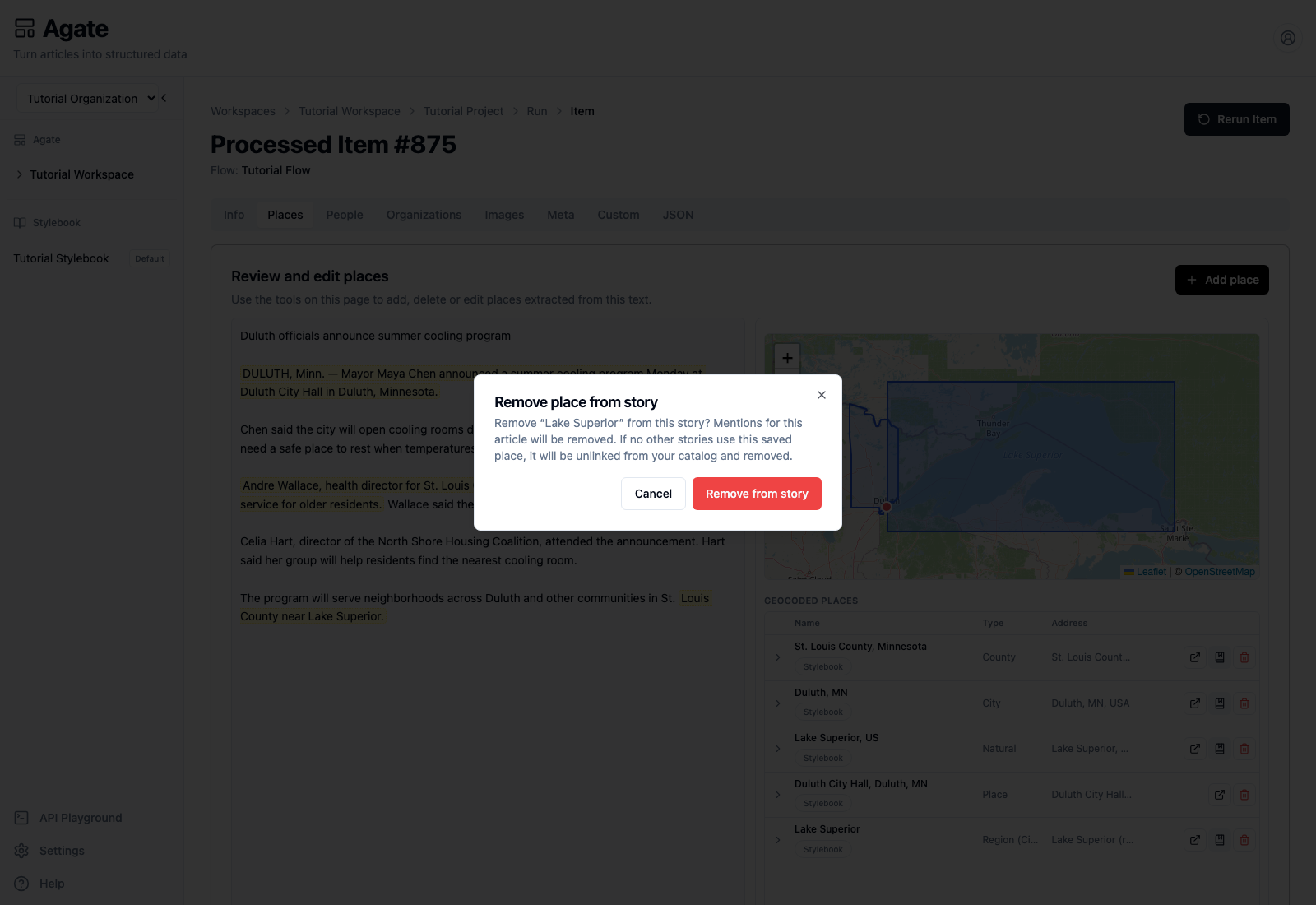
Select Remove from story to confirm.
3. Confirm the corrected result
The incorrect row disappears. The remaining table contains:
- St. Louis County, Minnesota;
- Duluth, Minnesota;
- Lake Superior as a natural feature;
- Duluth City Hall.
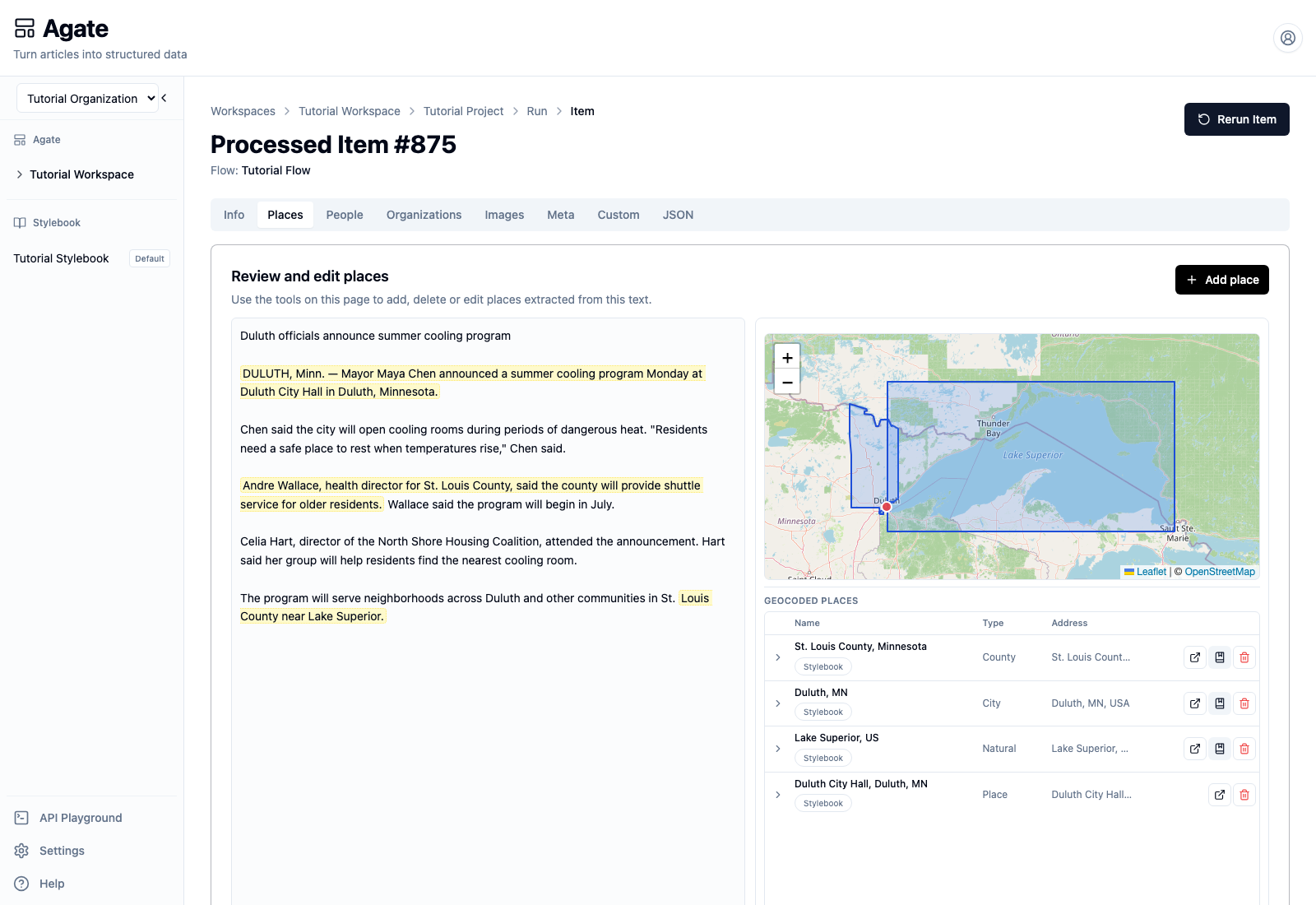
The correction applies to this processed story. Agate preserves the flow's machine output as part of the run record and applies editorial changes as a review layer.
4. Know when to use Stylebook
Removing a result from a story is different from editing shared canonical knowledge.
- Correct the processed item when a person, place, mention, tag, or field is wrong for this article.
- Open Stylebook when the shared identity itself is wrong—for example, a canonical name, geography, metadata value, or connection used across stories.
The Open in Stylebook action beside a matched result takes you to that canonical record. Do not rename a shared place merely to fix one article's extraction.
5. Review the other tabs
Use the same source-first check throughout the item:
- People — verify names, titles, affiliations, mentions, and quotations.
- Meta — review each category with its rationale and confidence.
- Info — add or correct article-level source, URL, headline, author, or publication date when available.
- JSON — inspect or download the structured output.
Use Add person, Add place, or Add tag only when the source supports something the flow missed. Remove results that are unsupported rather than trying to make them fit.
Next step
Continue with Rerun processed items safely. Rerunning regenerates the item from its original run's saved flow settings and clears its run-level review changes.