Trigger and monitor a run
Start an approved Agate flow from trusted automation and monitor the resulting run without reproducing flow logic in the calling application.
You'll learn
- How API-triggered runs use saved project flows.
- How input type determines the request payload.
- How idempotency prevents duplicate runs.
- How to poll run state with bounded backoff.
- How to surface run and item errors to operators.
Before you begin
Complete Build your first flow and run Tutorial Flow successfully in Agate. API automation should use a tested, saved flow.
1. Allow API runs
- Open Tutorial Project → Flows → Tutorial Flow.
- Select Edit flow.
- Select the Text Input node.
- Turn on Enable API runs.
- Save the flow.
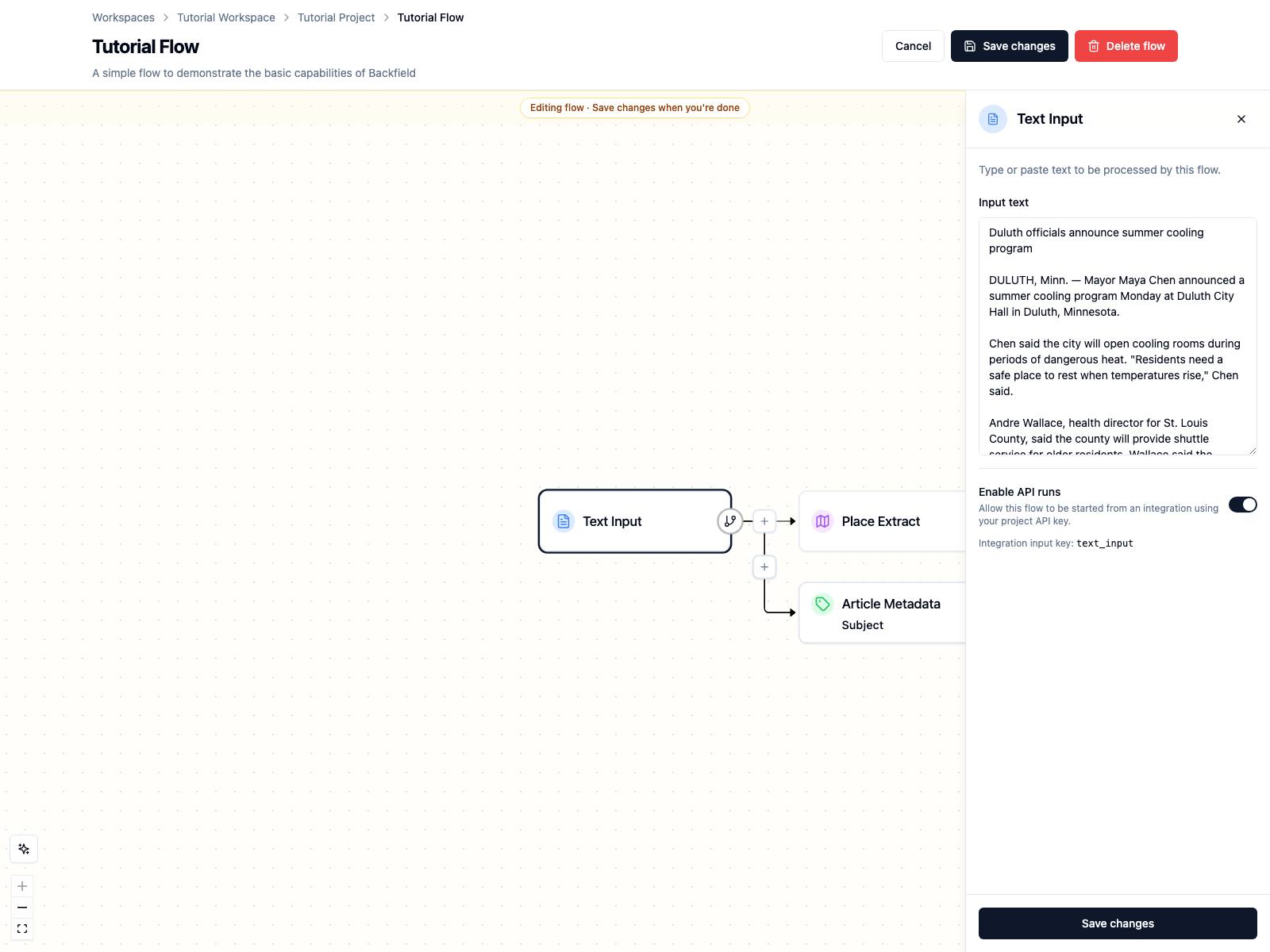
Enabling the flow creates a stable input alias from the node name. For Text
Input, the alias is text_input.
Warning
Enabling API runs allows a service key with runs:trigger access to start
this saved flow. Enable only flows that have appropriate models,
integrations, output behavior, and cost controls.
2. Create a service key
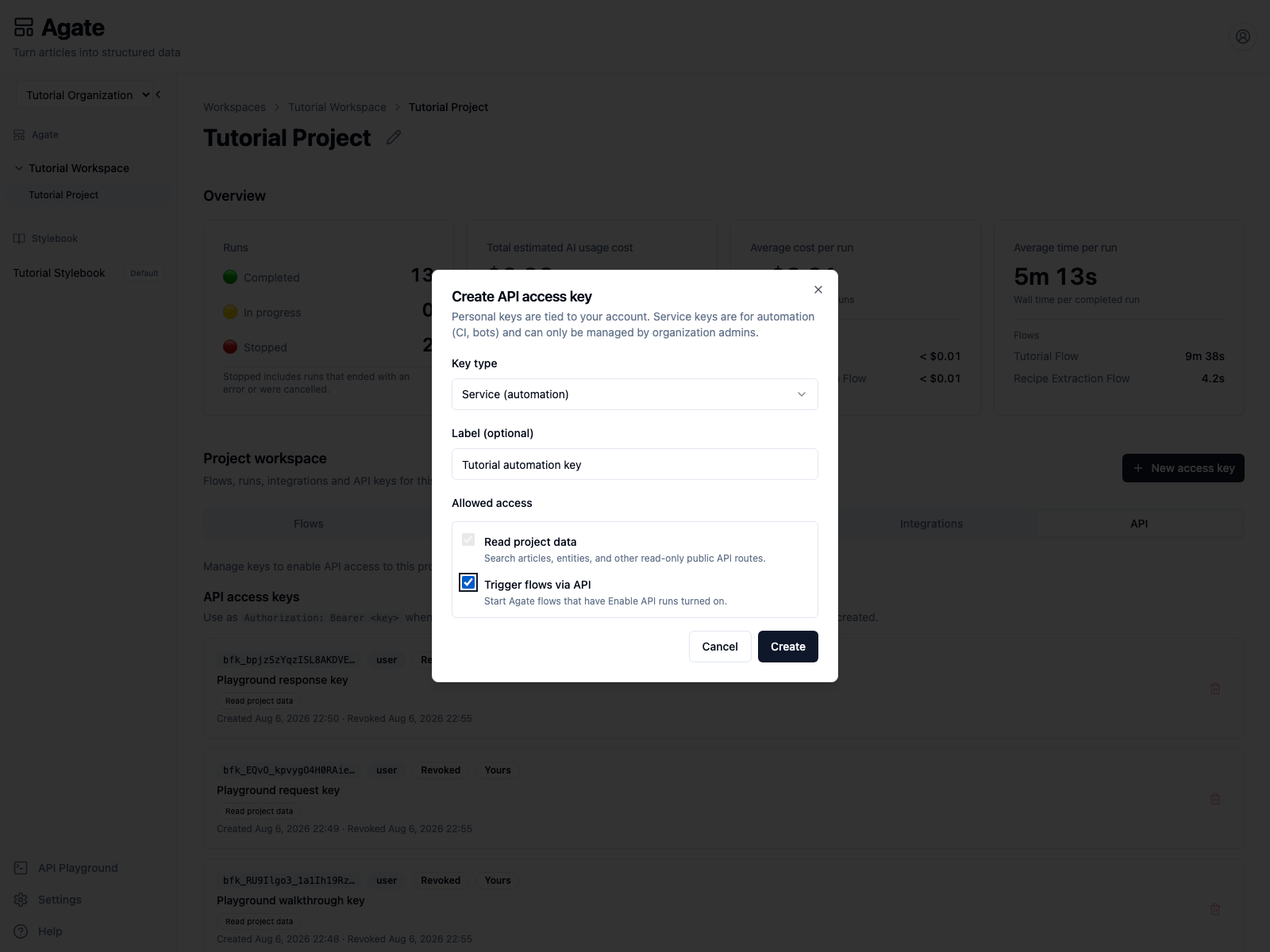
Open Tutorial Project → API, then select New access key.
- Set Key type to Service (automation).
- Enter the label
Tutorial automation key. - Keep Read project data selected.
- Select Trigger flows via API.
- Create the key and copy its secret once.
Store it in the terminal that will run the example:
export BACKFIELD_PROJECT_API_KEY="paste-the-service-key-here"
export BACKFIELD_API_ORIGIN="http://localhost:8004"
export PROJECT_SLUG="tutorial-project"
export GRAPH_ID="cc04ce8d-184f-4786-a047-b1a05e65ce2d"
GRAPH_ID is the Tutorial Flow identifier. You can also read it from the flow
URL after opening the flow.
3. Trigger one story
Use a unique Idempotency-Key for this logical submission:
curl -i -X POST \
  "$BACKFIELD_API_ORIGIN/public/v1/projects/$PROJECT_SLUG/runs" \
  -H "Authorization: Bearer $BACKFIELD_PROJECT_API_KEY" \
  -H "Content-Type: application/json" \
  -H "Idempotency-Key: tutorial-duluth-2026-08-06-01" \
  -d "{
    \"graph_id\": \"$GRAPH_ID\",
    \"inputs\": {
      \"text_input\": {
        \"text\": \"Duluth extends cooling center hours during August heat\n\nDULUTH, Minn. — Mayor Maya Chen said Tuesday that Duluth will keep its cooling rooms open until 9 p.m. through Friday as temperatures rise near Lake Superior.\n\nAndre Wallace, health director for St. Louis County, said shuttle service will be available for older residents.\"
      }
    }
  }"
The API returns 202 Accepted immediately:
{
  "run_id": "018814dd-67ca-4589-accb-420d43cd8c77",
  "status": "running",
  "counts": {
    "total": 1,
    "pending": 1,
    "running": 0,
    "succeeded": 0,
    "failed": 0
  },
  "error_message": null
}
Store run_id; it is the handle for monitoring and operator links.
If the trigger response is lost, repeat the same body with the same
Idempotency-Key. Backfield returns the original run instead of creating a
duplicate. Reusing that key with a different body returns 409.
4. Poll until terminal
This Python example honors Retry-After, caps the delay, and stops after five
minutes:
import os
import time
import requests

origin = os.environ["BACKFIELD_API_ORIGIN"]
project = os.environ["PROJECT_SLUG"]
run_id = "018814dd-67ca-4589-accb-420d43cd8c77"
headers = {"Authorization": f"Bearer {os.environ['BACKFIELD_PROJECT_API_KEY']}"}
url = f"{origin}/public/v1/projects/{project}/runs/{run_id}"
deadline = time.monotonic() + 300

while True:
    response = requests.get(url, headers=headers, timeout=30)
    response.raise_for_status()
    run = response.json()
    print(run["status"], run["counts"])

    if run["status"] in {"succeeded", "failed"}:
        break
    if time.monotonic() >= deadline:
        raise TimeoutError("Run did not finish within five minutes")

    delay = min(int(response.headers.get("Retry-After", "3")), 15)
    time.sleep(delay)
Do not send another POST while polling. Poll the returned run URL.
5. Inspect the result in Agate
Open Tutorial Project → Runs. The verified tutorial request completed one item successfully in 12 seconds.
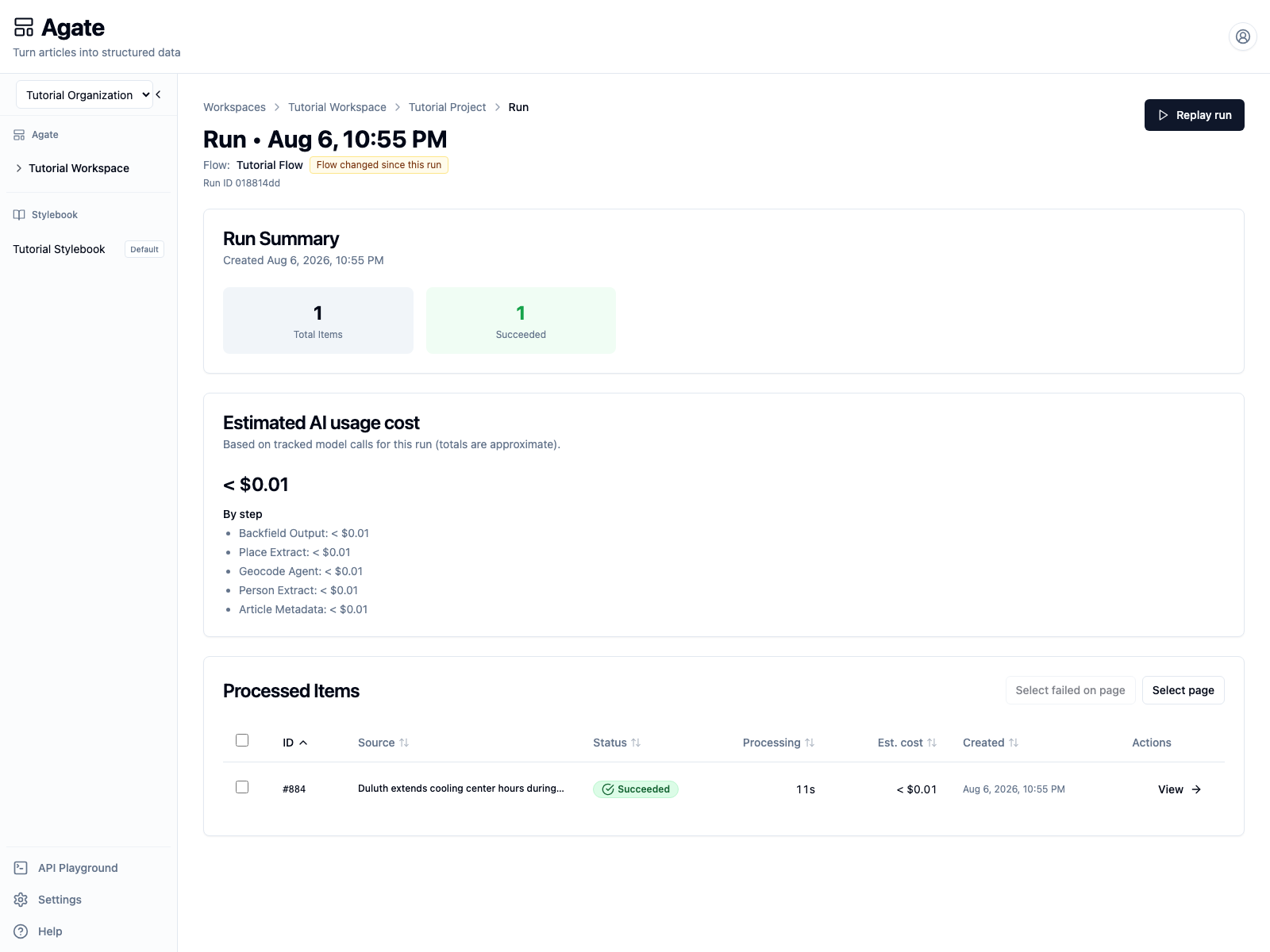
Open the processed item to review its source and extracted results just as you would for a UI-triggered run.
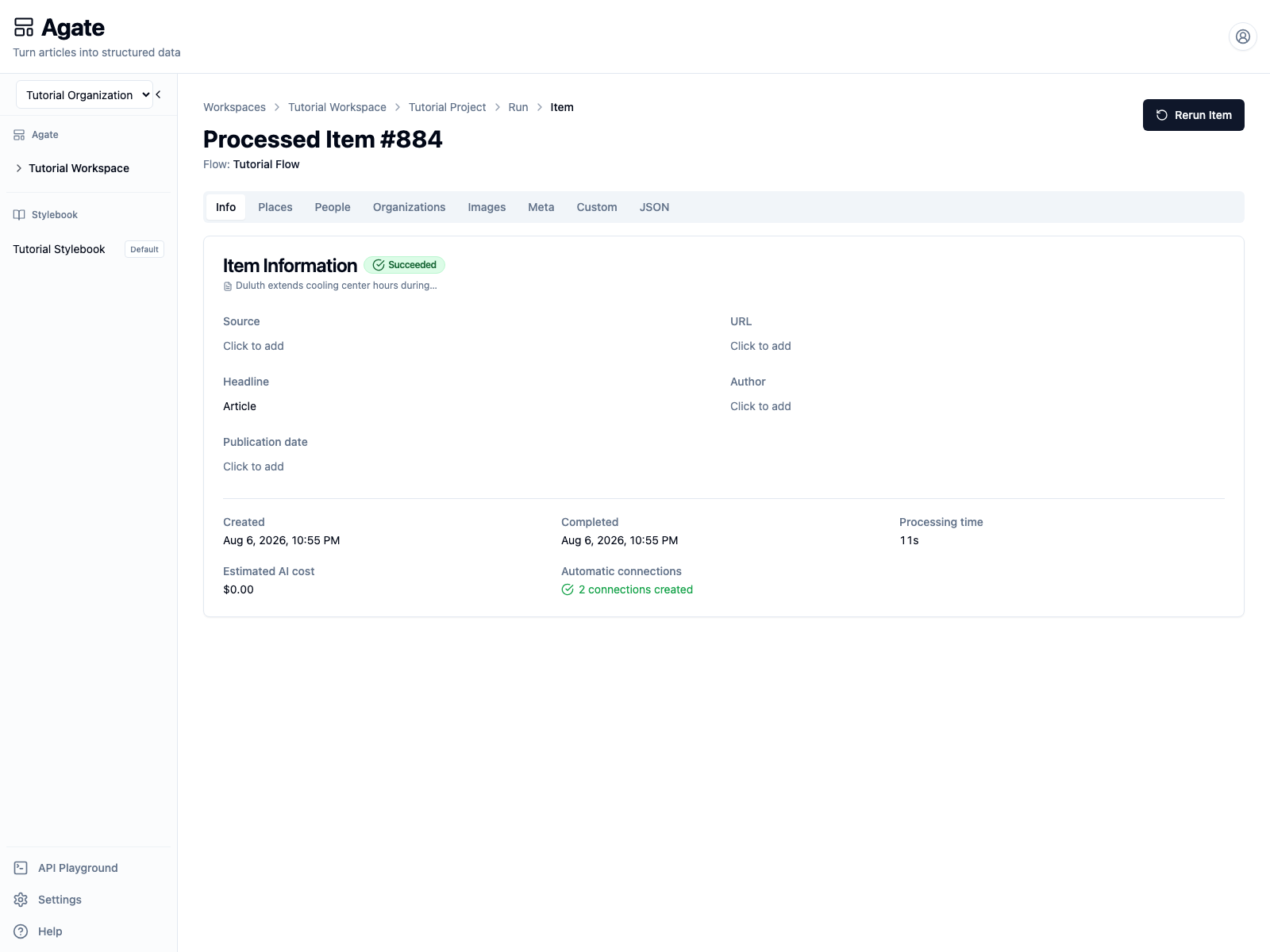
The public run response uses succeeded or failed as terminal states. Also
inspect counts.failed: a run can finish while one or more items need
attention. In Agate, this appears as Completed With Errors.
Surface these details to operators:
- Project and flow name.
run_id.- Run status and item counts.
error_message, when present.- A link to the Agate run page.
6. Retry deliberately
Retry only after deciding whether the submission represents:
- The same logical input: reuse the original idempotency key and body.
- A corrected or intentionally new input: use a new idempotency key.
Do not create a new run merely because polling timed out. First retrieve the
original run_id.
7. Revoke the tutorial key
Return to Tutorial Project → API and revoke Tutorial automation key.
Production automation should use its own narrowly scoped service key, with a
documented owner and rotation process.