Manage Stylebooks
Create and maintain the canonical catalogs used by your projects.
Before you begin
You need organization-administrator access.
A Stylebook is more than a folder. It is a separate collection of canonical people, places, and related editorial knowledge. Projects that should recognize the same entities should usually share one Stylebook.
1. Open Stylebooks
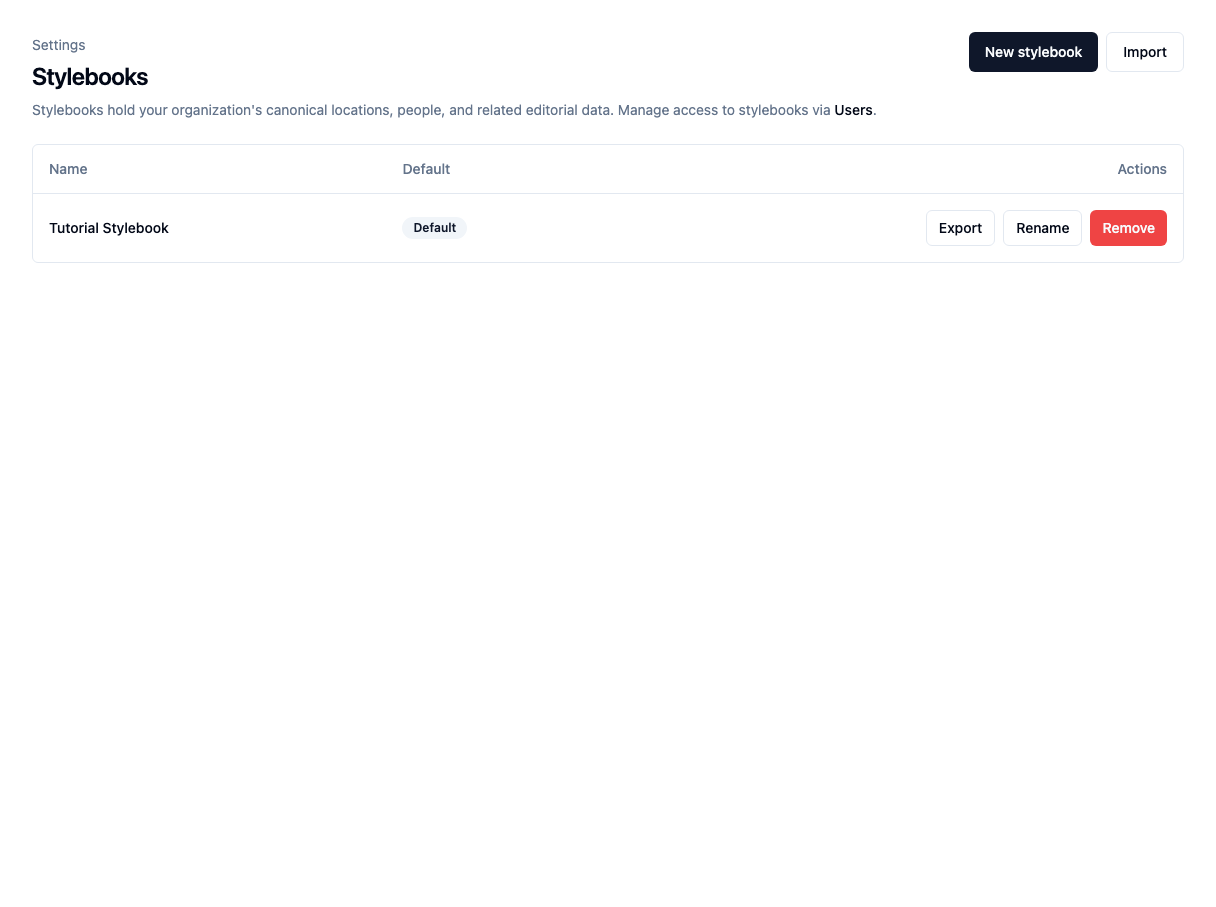
In Agate, choose Settings, then Stylebooks.
The Tutorial Organization has one default Stylebook containing the Minnesota records used throughout these tutorials.
2. Create a Stylebook
- Choose New stylebook.
- Enter a display name.
- Optionally make it the organization default.
- Choose Create.
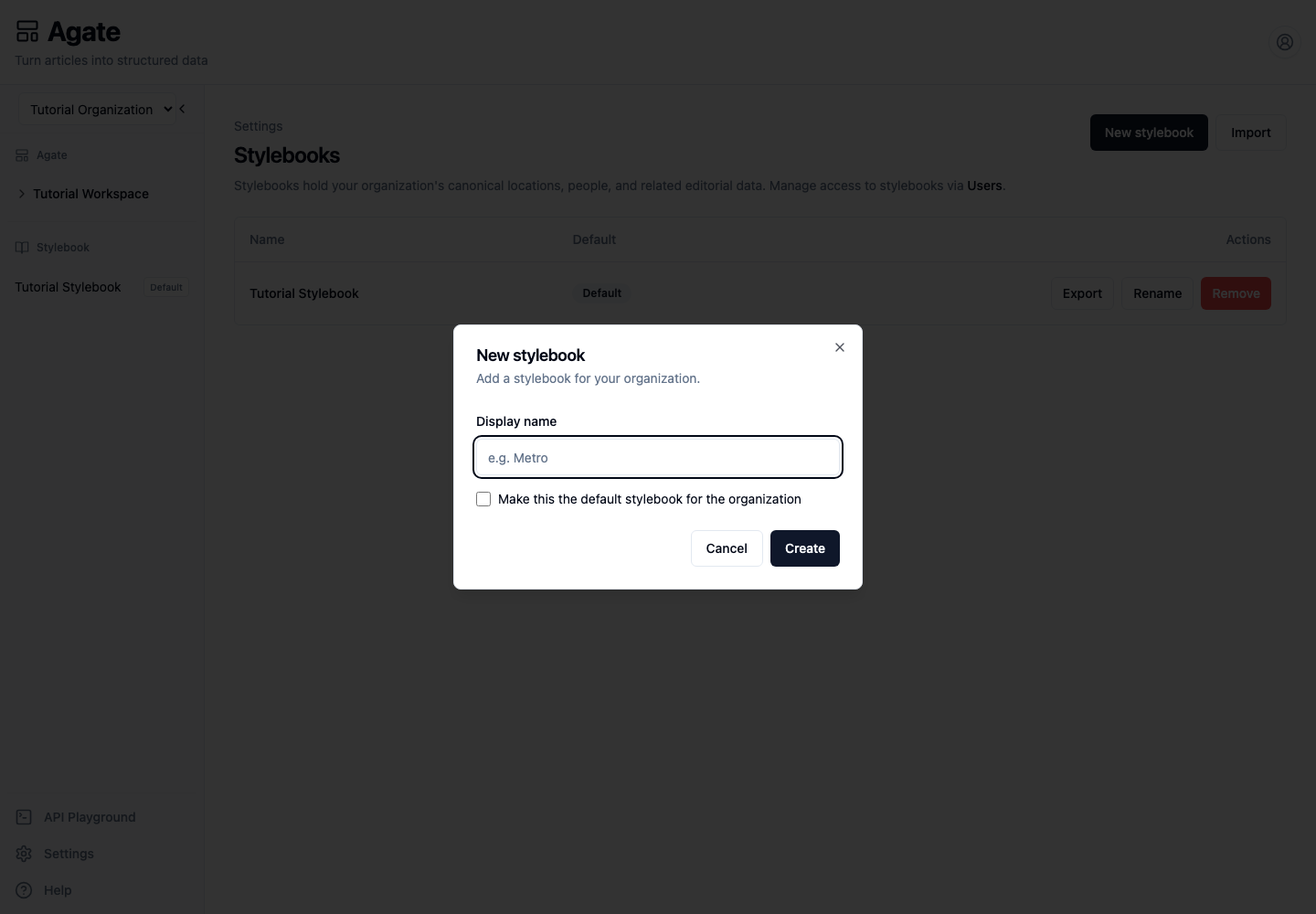
The new Stylebook starts empty and appears in the Agate sidebar.
Choose the default
The default Stylebook is selected automatically when an administrator creates a new project. Changing the default does not move existing projects or canonical records.
Assign editors
Stylebook access is managed from Settings → Users:
- Find a member.
- Choose Stylebooks.
- Select every Stylebook they may edit.
- Choose Save.
Organization administrators can edit every Stylebook.
Rename, export, or import
- Rename changes the display name only.
- Export downloads a ZIP copy.
- Import creates a separate Stylebook from an exported ZIP.
The copy workflow currently includes canonical locations and people. It does not include project data, review queues, or every kind of related record.
Note
The import dialog does not provide a record-by-record preview. Inspect the imported people and places before assigning the copy to a project.
Remove a Stylebook
Choose Remove only after confirming that no project or flow depends on the Stylebook. Export a copy first if its records may be needed later.
Removal cannot be undone, and the final Stylebook in an organization cannot be removed.