Rerun processed items safely
Regenerate one processed item while protecting shared editorial work and understanding which article-level corrections will be cleared.
You'll learn
- Which flow settings an item rerun uses.
- Why Agate clears the item's review changes.
- How Backfield Output reconciliation protects editor-created evidence.
- What to check after the rerun finishes.
Before you begin
Complete Correct processed items. The Duluth processed item should have four places after you remove the duplicate Lake Superior result.
1. Read the rerun warning
Open the processed item and select Rerun Item.
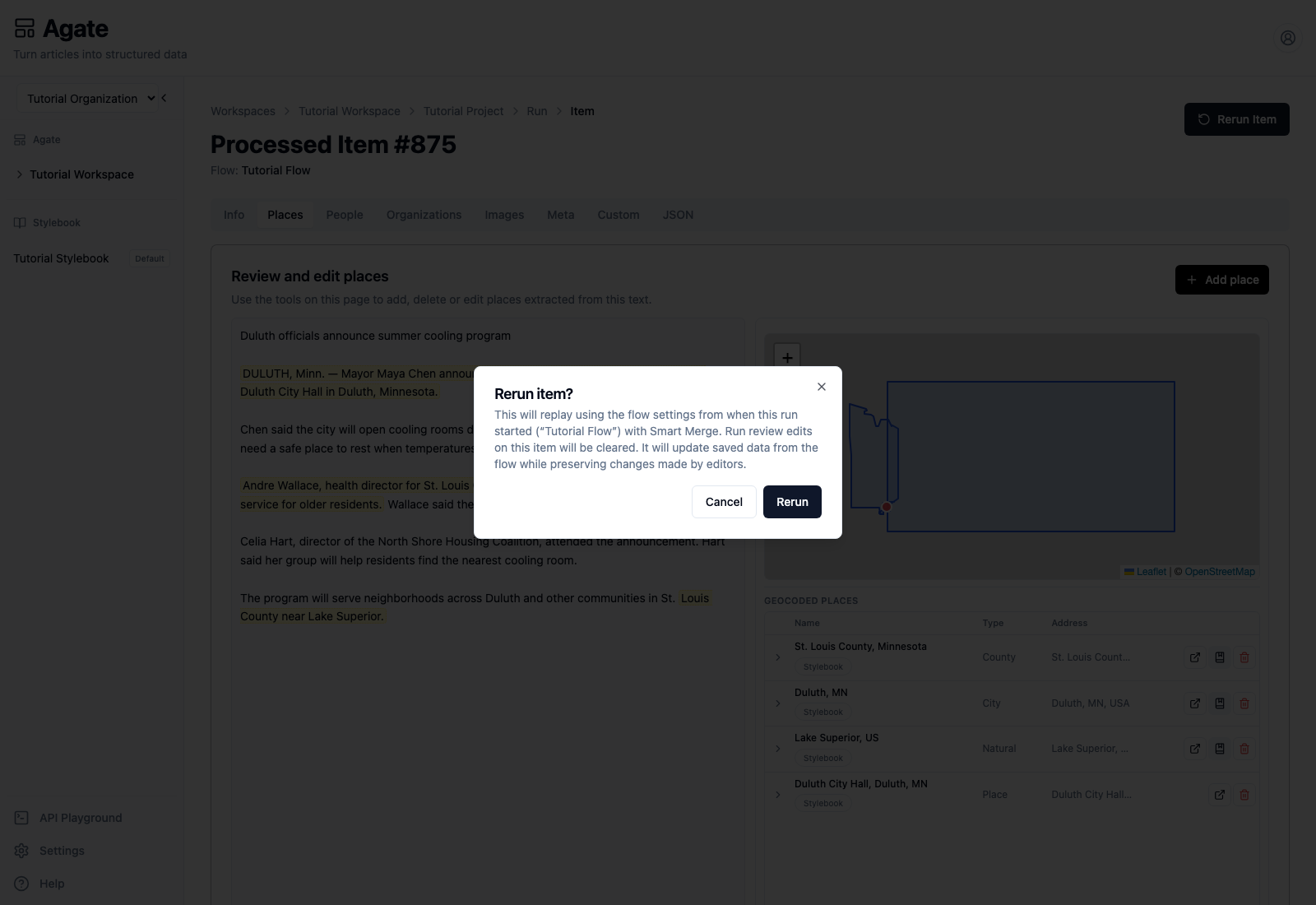
Read all three parts of the confirmation:
- The item will use the flow settings saved when its original run started unless you choose the updated flow option described below. Later edits to Tutorial Flow are not substituted into a default rerun.
- The item's run review edits will be cleared. In this example, that includes the earlier removal of the duplicate place.
- Backfield Output will use Smart Merge, updating saved machine data while preserving editor-made changes.
When the saved flow has changed since the original run, Agate also offers to reprocess through the currently saved flow instead. The default remains the flow pinned when the run started.
If you need the latest saved flow instead, choose that updated-flow option or start a new run from the flow rather than rerunning this historical item.
2. Start the rerun
Select Rerun.
While processing is active, Agate shows Rerunning… and pauses review editing. Tabs may temporarily show no results because the regenerated output has not arrived yet.
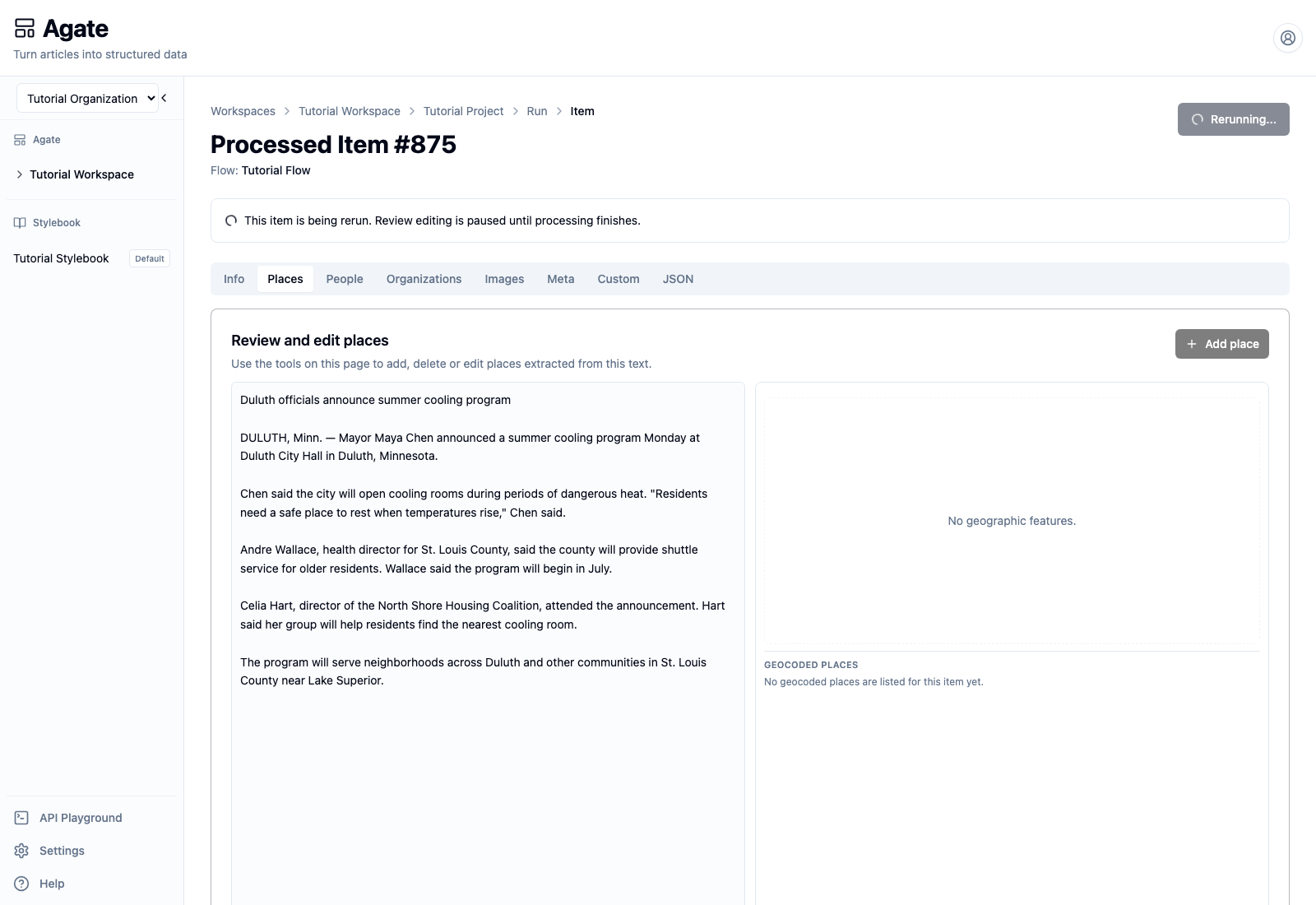
Do not add or remove results during this state. Wait for processing to finish, then reload the item if the page has not refreshed automatically.
3. Review the regenerated item
Open Places again after the rerun succeeds.
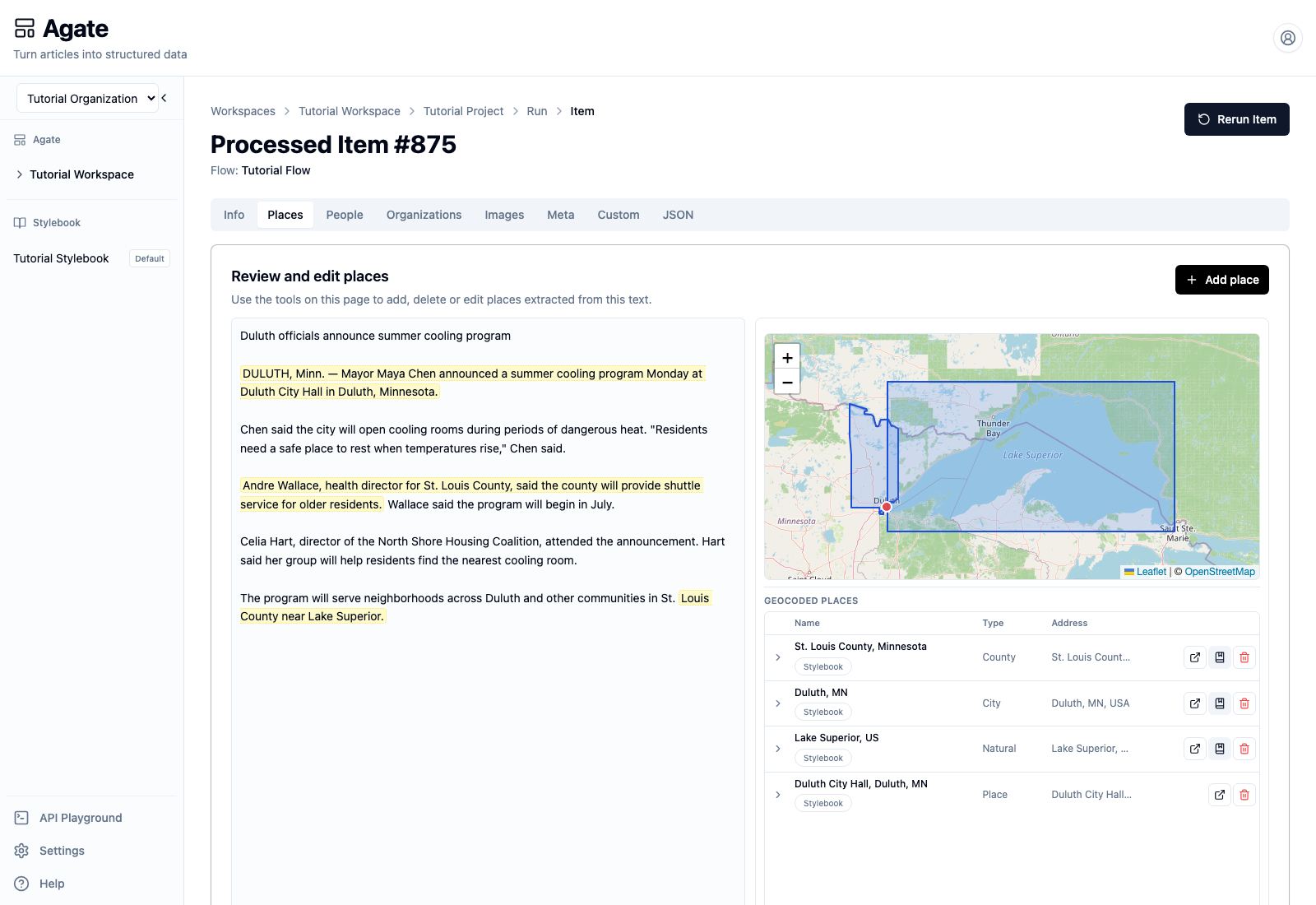
The verified rerun produced four places:
- St. Louis County, Minnesota;
- Duluth, Minnesota;
- Lake Superior as a natural feature;
- Duluth City Hall.
The incorrect duplicate did not return, but this is new machine output—not the previous removal being preserved. The review overlay was cleared as warned. Review every tab again because model-backed extraction and geocoding can vary between executions.
4. Understand reconciliation
Backfield Output's policy controls how newly generated machine evidence is combined with data already saved for the article:
- Add Only adds new results without treating omissions as removals.
- Smart Merge updates compatible machine output while retaining prior data where appropriate.
- Replace treats newly emitted machine domains as authoritative, including empty results.
Replace can retire earlier machine-generated associations that disappear from the rerun. Editor-added and editor-modified evidence remains protected. Canonical Stylebook edits are separate from the processed item's review layer and are not silently rewritten.
5. Choose the right action
- Use Rerun Item to regenerate one item from its original run's flow settings and inputs, or from the currently saved flow when that option is offered.
- Use Replay run to create another run from all stored inputs.
- Use Run flow when you want the currently saved flow configuration.
- For a batch, select failed rows and rerun only those items when successful work does not need to be repeated.