Connections
Connections are relationships between canonical records—for example, a person who works for an organization or an organization based in a location.
Connections come from two sources:
- Manual: an editor creates and describes the relationship.
- Inferred: Backfield finds a relationship in reporting and retains the supporting evidence for review.
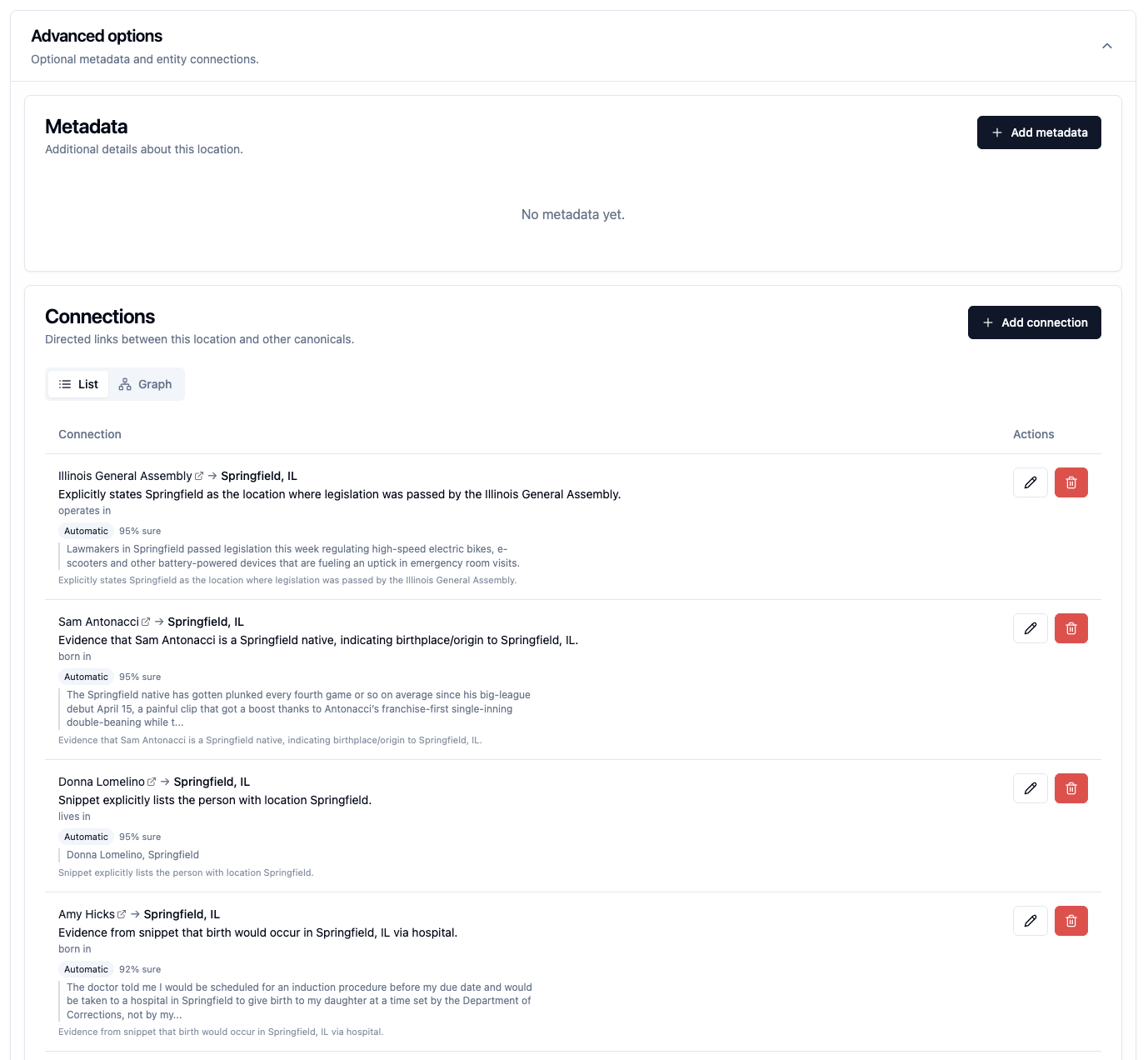
What a connection contains
A connection has a direction from one record to another. For each open relationship between the same two records and Nature, Backfield maintains one edge and collects supporting evidence from articles rather than creating near-duplicate rows.
Each connection can include:
- a relationship type, such as works for or located in (Nature);
- a display description drawn from its evidence;
- currentness when reporting indicates a role is current or former;
- project, article, and passage evidence for an inferred connection.
Direction matters. “Jane Doe works for City Hall” and “City Hall works for Jane Doe” do not mean the same thing, even though they contain the same two records.
Connections can link:
- person → organization: works for, leads, represents;
- organization → location: based at, serves, located in;
- person → location: lives in, represents, associated with;
- person → person or organization → organization.
Manual connections are deliberate editorial knowledge. Inferred connections come from article evidence. In both cases, editors should review the records, direction, description, and currentness.
Two correct canonical records can still be connected in the wrong direction or with an overbroad description.
Relationships also change over time. Make clear whether a role is current or former, and include useful dates or context in the description when the relationship type alone would be misleading.
Closing and reopening
Editors can close a connection when it is no longer accurate and reopen it later if reporting supports the relationship again. Closing preserves the history without treating the link as active catalog knowledge.
Stylebook-wide scope
Connections belong to the shared Stylebook. A project filter may narrow the evidence shown, but it does not create a project-specific version of a connection.
The canonical detail page shows connections as a list and as a neighborhood graph with a detail panel. The graph is a view of the maintained records and evidence, not a separate source of information. For records with many connections, the graph shows a capped neighborhood so the view stays readable; use the List tab for the complete connection set.