Build a custom extraction
Use Custom Extract when the information you need does not belong in the people, organization, or place catalogs. This tutorial turns a simple recipe into one structured record for each ingredient.
You'll learn
- How to define a custom record and its fields.
- How to write focused extraction instructions.
- How to review and correct custom records.
Before you begin
You need Tutorial Project with GPT-5.6 Luna enabled.
1. Start a recipe flow
Open Tutorial Project → Flows, select New flow, and name it
Recipe Extraction Flow. Use Extract ingredients from a recipe.
as the optional description.
Choose Type or paste text and enter this recipe:
North Shore wild rice soup

This simple soup recipe makes four servings.

Ingredients

- 2 tablespoons butter
- 1 small yellow onion, diced
- 8 ounces cremini mushrooms, sliced
- 3 tablespoons all-purpose flour
- 4 cups vegetable broth
- 1 cup cooked Minnesota wild rice
- 1 cup whole milk
- 1/2 teaspoon dried thyme
- 1/2 teaspoon kosher salt
- Black pepper, to taste

Instructions

1. Melt the butter in a large pot over medium heat. Add the onion and cook for 4 minutes.
2. Add the mushrooms and cook for 6 minutes, until they begin to brown.
3. Sprinkle in the flour and stir for 1 minute.
4. Slowly stir in the vegetable broth. Bring the soup to a simmer and cook for 10 minutes.
5. Stir in the wild rice, milk, thyme and salt. Cook for 5 minutes without boiling.
6. Season with black pepper and serve warm.
Choose Continue, select JSON Output, and choose Continue again. This creates a separate flow so the recipe example does not change Tutorial Flow or run unrelated extraction and metadata nodes.
2. Define the custom record
- Select the + on the connection between Text Input and JSON Output.
- Select Extract, then Custom Extract.
- Enter
Recipesfor Record set name. - Enter
recipefor Record type. - Add an
Ingredientfield, choose Text, and describe it asThe name of each ingredient. - Add a
Quantityfield, choose Text, and describe it asThe quantity of each ingredient. - Choose GPT-5.6 Luna as the extraction model.
The record set name appears above the review table. The record type is a stable identifier used to keep these records together across runs.
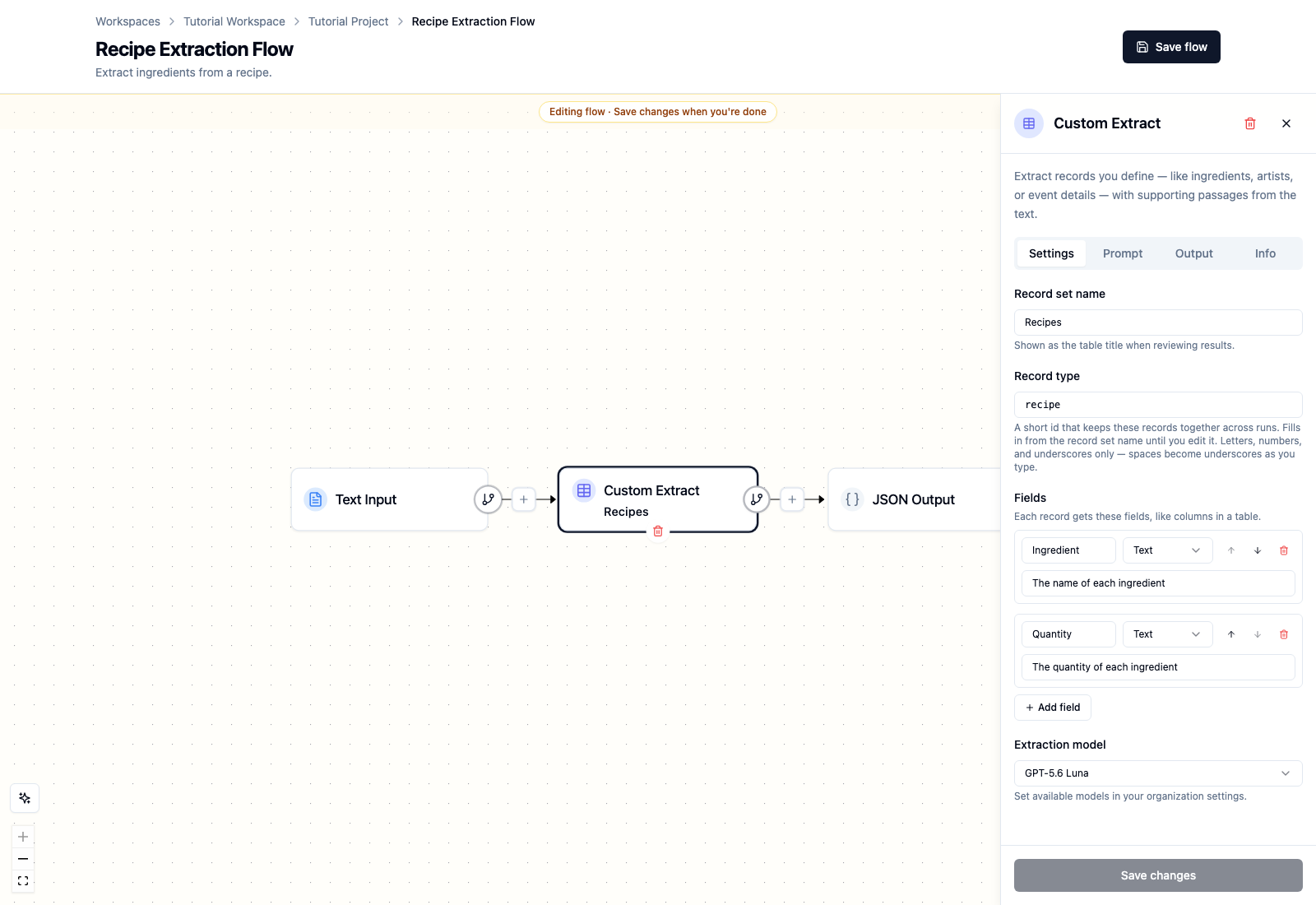
Custom fields can contain text, numbers, yes-or-no values, dates, or lists of text. Use the simplest type that represents the source.
3. Write the extraction instructions
Open Prompt and enter:
Return exactly one recipe record from the article. Preserve each ingredient as
one list item, including its quantity and unit exactly as written.

## Article text

{text}
The {text} token inserts the upstream article text when the flow runs.
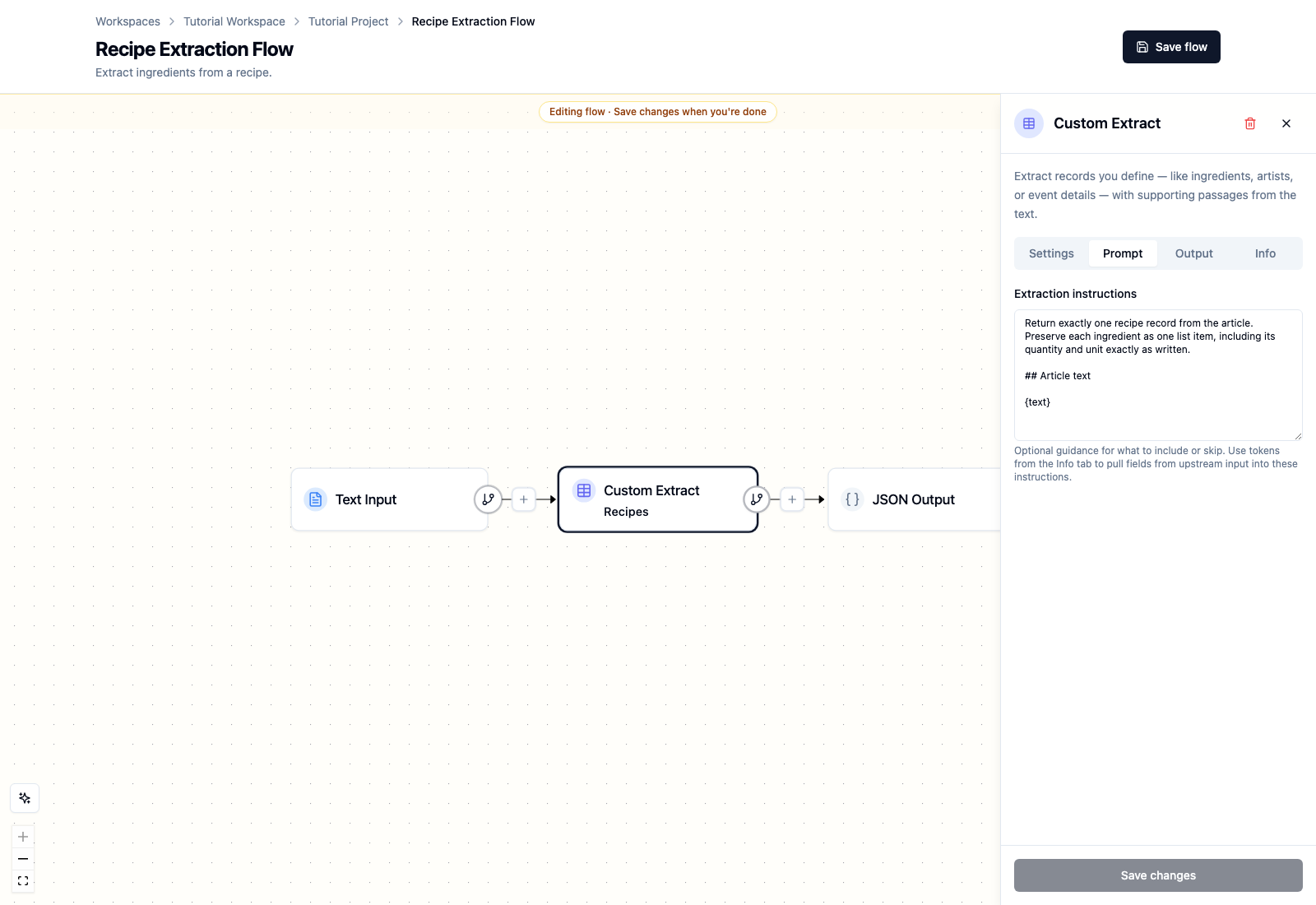
Select Add node, then Save flow.
The finished flow has one processing node:
Text Input → Custom Extract → JSON Output
4. Run and review the recipe
Run Recipe Extraction Flow, open the successful processed item, and select Custom.
The verified tutorial run produced 10 Recipes rows. Each row contains:
- an ingredient name;
- its quantity and unit;
- high confidence;
- a highlighted passage connecting the record to the source.
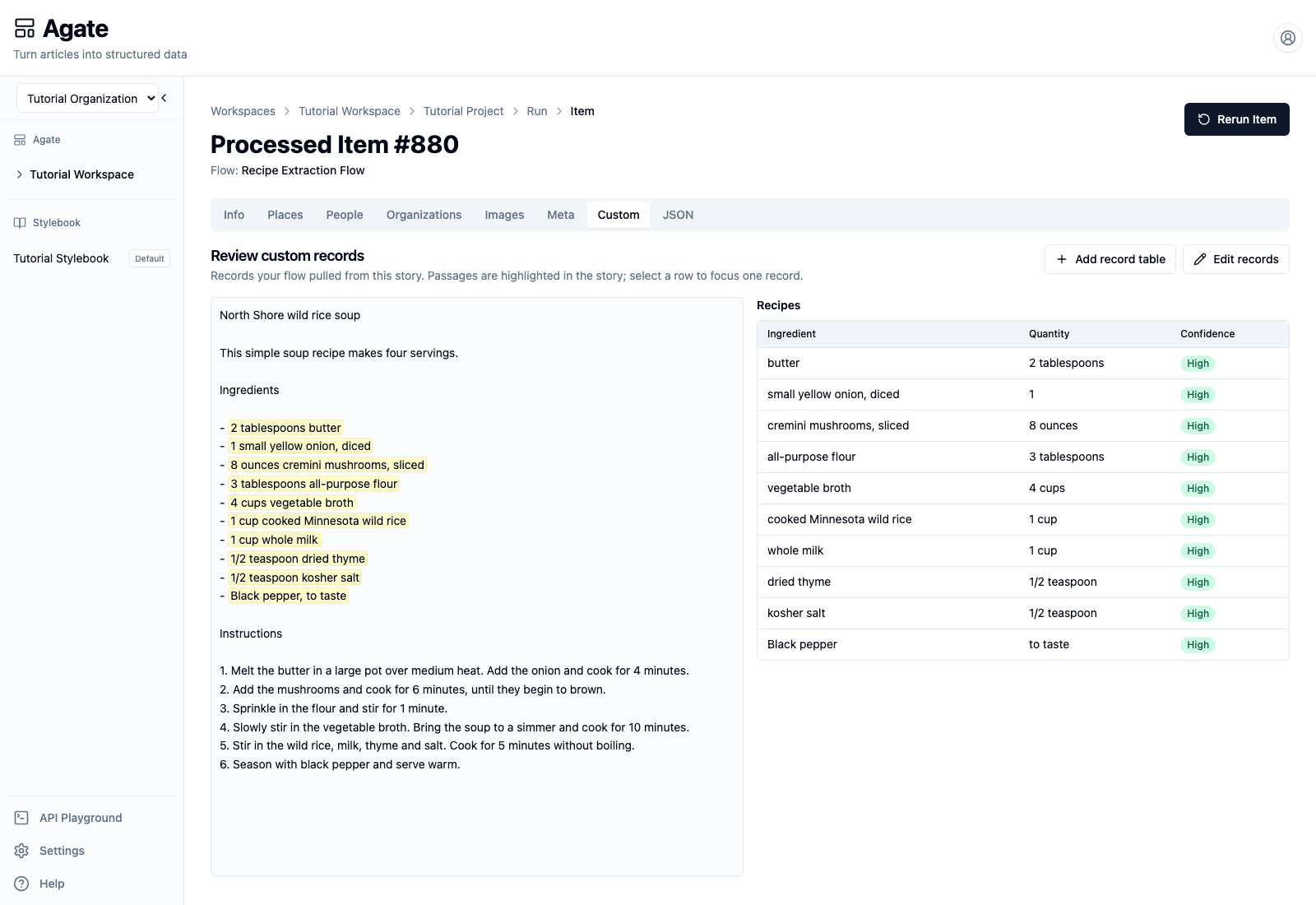
Compare every value with the highlighted recipe. Confidence indicates the model's certainty; it does not replace editorial review.
5. Correct a custom record
Select Edit records to make corrections.
- Edit an ingredient or quantity directly in its field.
- Use Add mention to attach another supporting passage.
- Use the trash icon to remove an unsupported record.
- Select Add record if the model missed an ingredient.
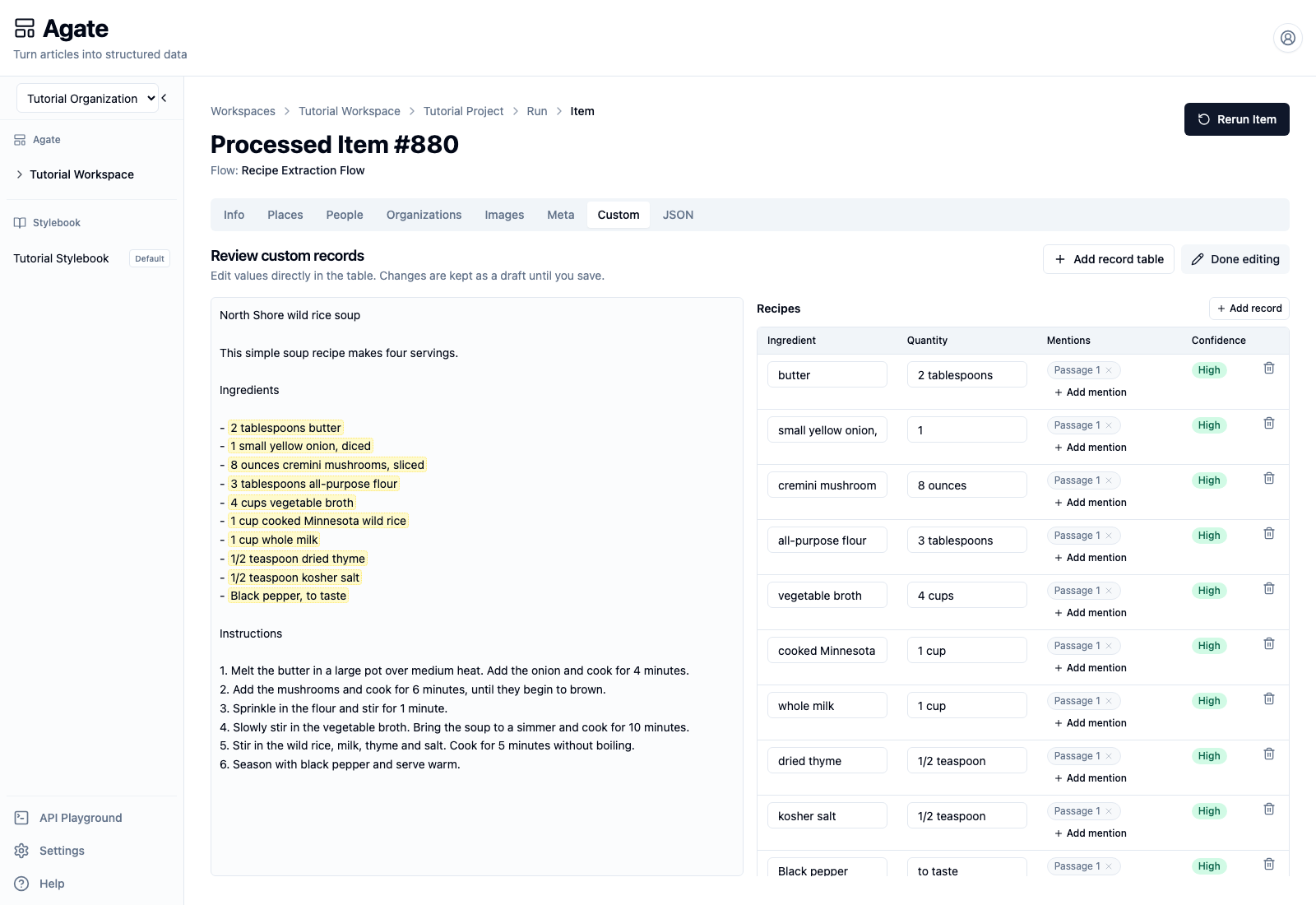
Changes remain a draft while editing. Select Done editing to save them.
When to use Custom Extract
Custom records belong to the article that produced them. They are useful for information such as recipes, public meetings, election results, inspections, events, and obituaries.
Use Person, Organization, or Place Extract when the result should participate in shared Stylebook matching. A recipe ingredient is article-specific, so it belongs in a custom record instead.